> For the complete documentation index, see [llms.txt](https://docs.portexai.com/portex-docs/llms.txt). Markdown versions of documentation pages are available by appending `.md` to page URLs; this page is available as [Markdown](https://docs.portexai.com/portex-docs/for-model-builders/running-an-eval.md).
# Running an Eval
Run your model against a Portex eval and receive a scored report.
## Download the Task Bundle
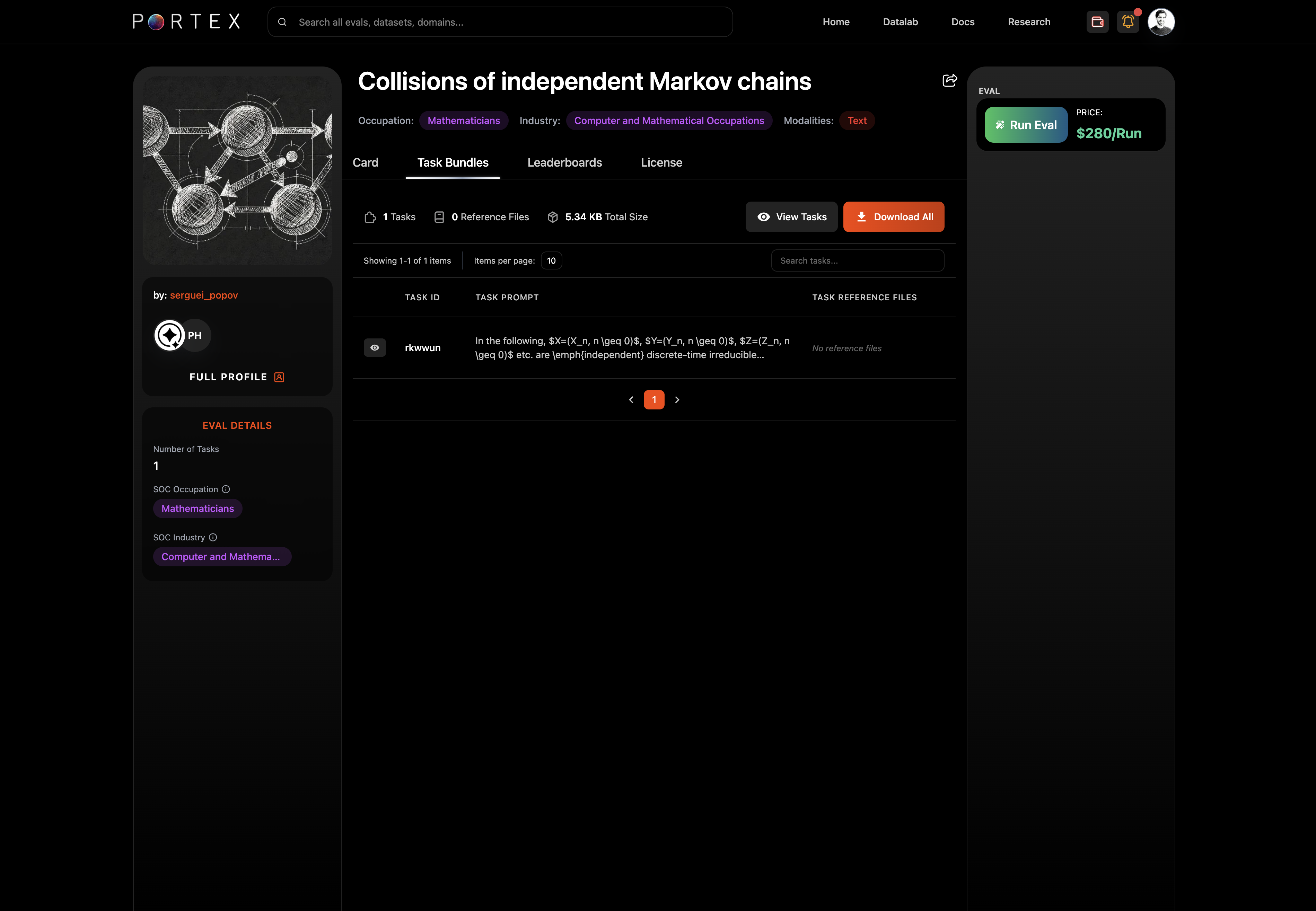
From the eval's detail page, open the Task Bundles tab. Click "Download All" to get the tasks.json file and any reference files.
The task bundle contains:
* tasks.json: the prompts your model needs to respond to
* Reference files (if any): PDFs, images, CSVs, or other supporting documents
## Run Your Model
Run your model locally against each task in tasks.json. For each task, produce a `model_response`.
## Prepare model\_responses.json
Create a JSON file with your model's responses. Each record must include:
* `task_id`: matches the task\_id from tasks.json
* `model_response`: your model's output for that task
```json
[
{
"task_id": "apple_net_margin_2024",
"model_response": "Net income $93,736M / Revenue $391,035M = 23.97%"
}
]
```
## Submit and Pay
Click "Run Eval" on the eval's detail page. This opens the checkout window.
1. Upload your model\_responses.json (max 5MB)
2. Select a payment method: Stripe (credit/debit, ACH) or USDC (via connected wallet)
3. Complete checkout
Your eval job starts after payment is confirmed.
## Get Results
Results appear in the Data Studio under Evals > Results. While the eval is running, the status shows "Running." Once complete, it changes to "Completed" and you can download the report.
The eval report includes:
* Summary statistics (overall score, pass rate)
* Per-task scores and pass/fail status
* Grader notes for each criterion