> For the complete documentation index, see [llms.txt](https://docs.portexai.com/portex-docs/llms.txt). Markdown versions of documentation pages are available by appending `.md` to page URLs; this page is available as [Markdown](https://docs.portexai.com/portex-docs/for-experts/reviewing-results.md).
# Reviewing Model Responses
Review eval results and annotate model responses.
After you've created an eval dataset, Portex runs SOTA models against your eval and maintains leaderboards for your eval. You can review model scores and inspect individual responses and offer feedback in the Data Studio under the annotate page.
This is only visible to you and can help you iterate on your evals and improve them.
{% hint style="success" %}
These eval runs are internally maintained by Portex for leaderboards. Payment is received when external model builders submit model runs.
{% endhint %}
## Annotate Overview
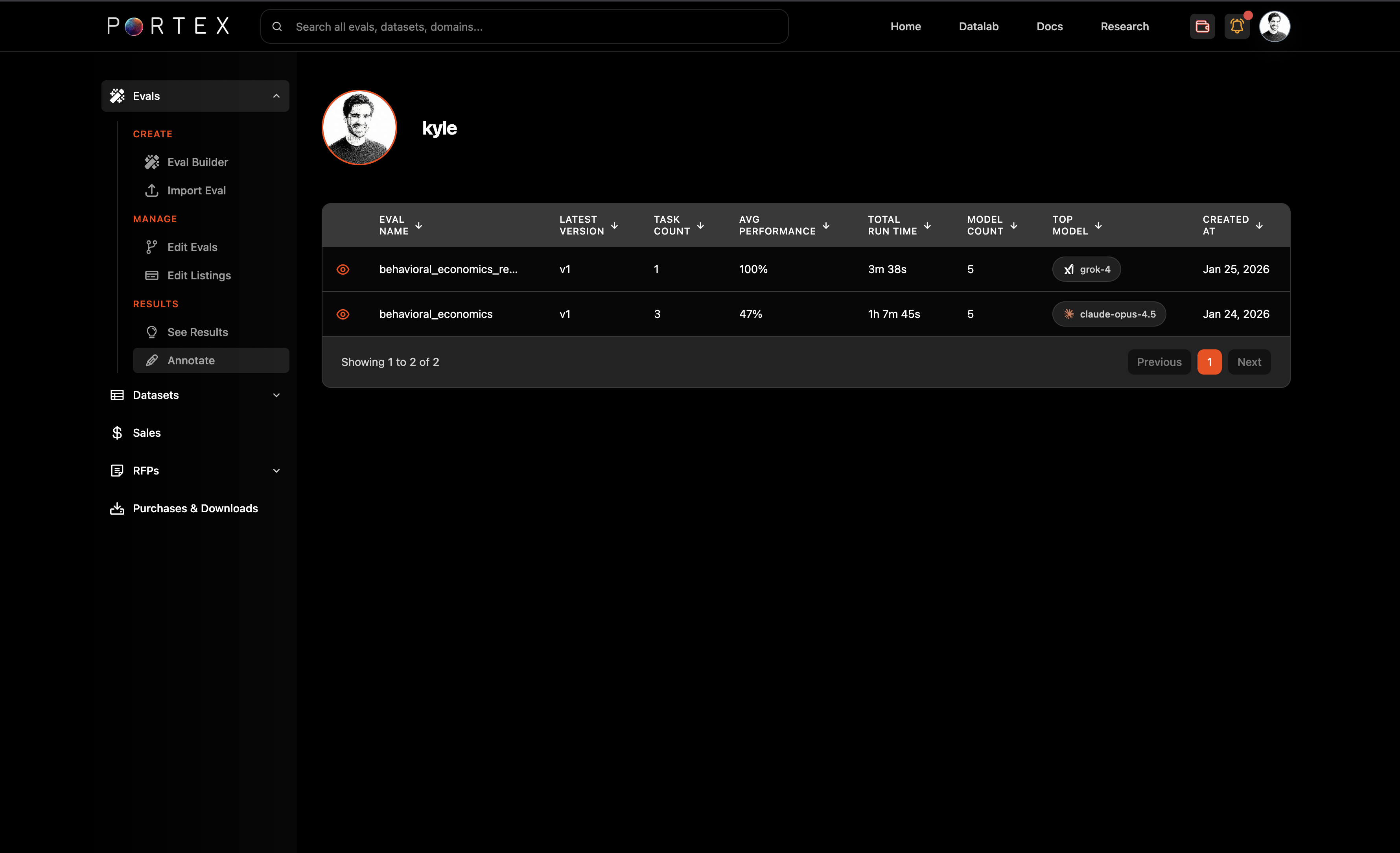
Navigate to Evals > Results > Annotate in the Data Studio sidebar. Select your eval to see results.
The results table shows eval name, latest version, task count, average performance, total run time, model count, and top model.
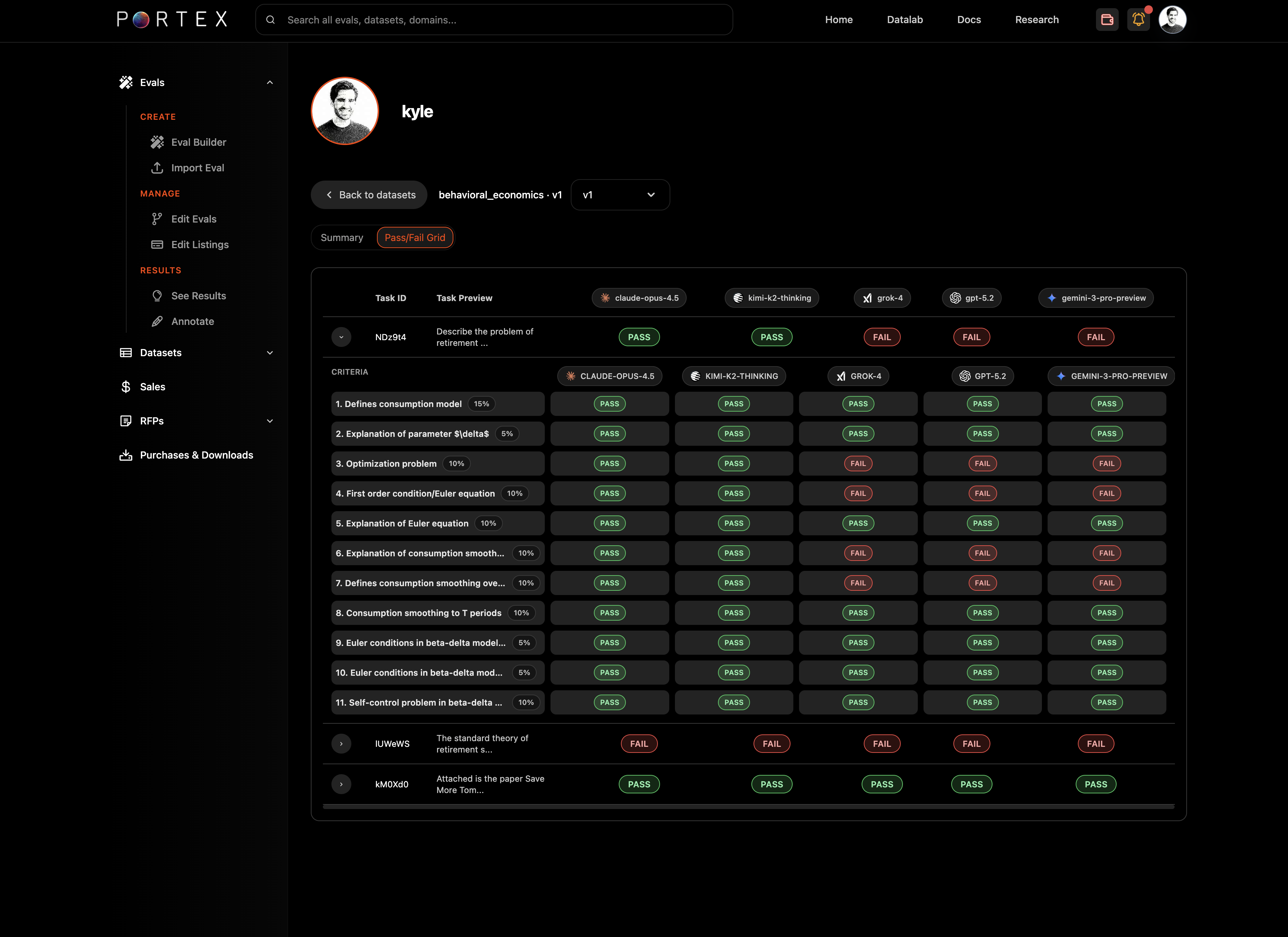
Click into an eval to see the detailed pass/fail grid across models and criteria.
You can toggle between summary and detailed views. The summary view shows aggregate scores per model; the detailed view shows per-task, per-criterion breakdowns with pass/fail badges for each model.
## Annotate
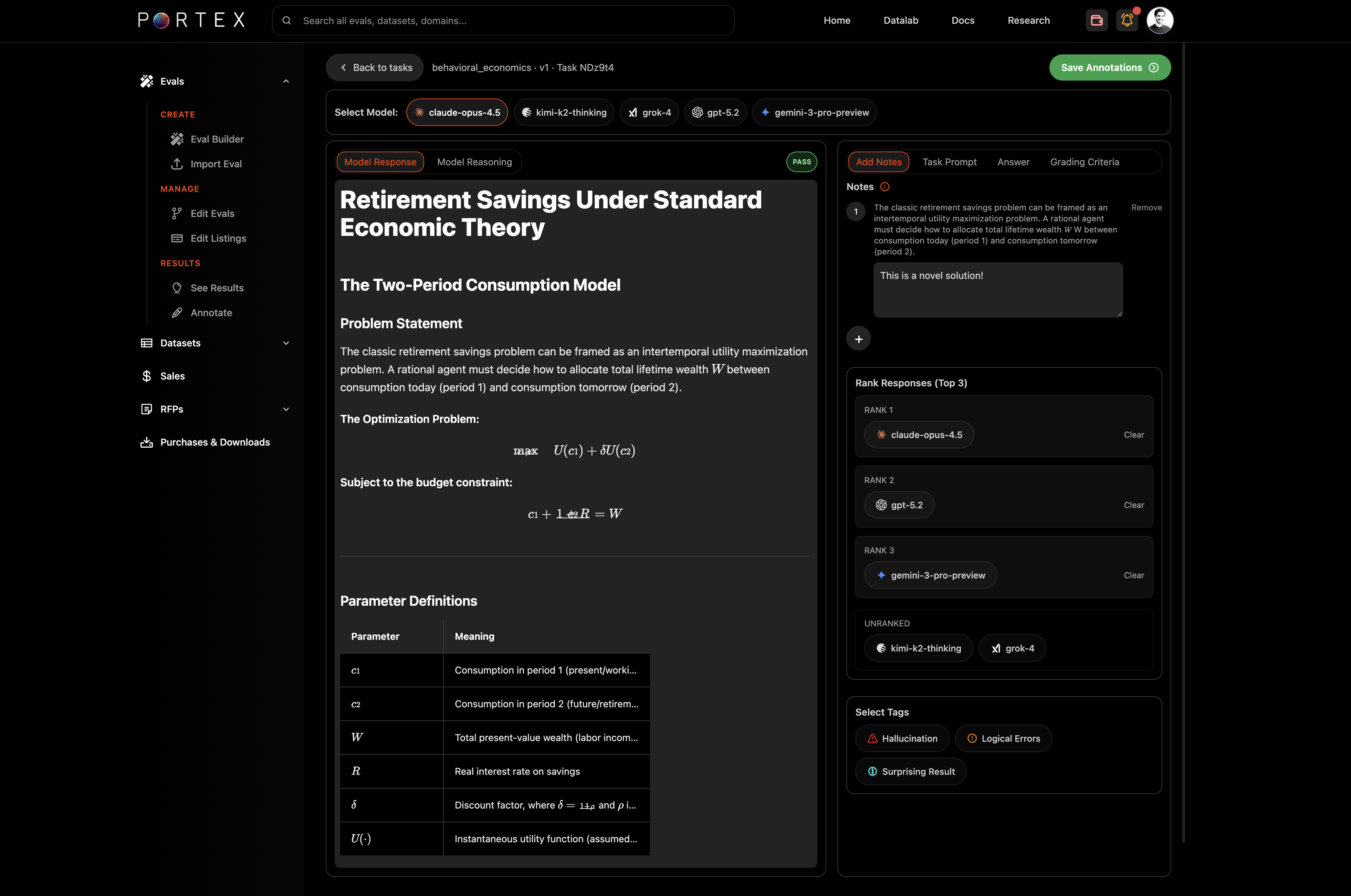
The Annotate task-level view provides a side-by-side interface for inspecting individual model responses against your tasks.
### Layout
* Left panel: a selected SOTA model's response and reasoning
* Right panel: your task prompt, answers, and an Notes section for annotating model responses
### Comparing models
Use the model selector tabs at the top of the right panel to switch between different model submissions. You can toggle between "Model Responses" and "Model Reasoning" (to see the model's chain of thought, if available).
Tabs within the right panel let you view the Task Prompt, Answer, and Grading Criteria for the selected task.
### Annotate
Highlight text selections in the model response and offer specific feedback or commentary.
### Ranking and tagging
You can rank model responses (top 3) by dragging them into position. This is useful for comparative analysis across models.
You can also tag responses with labels like "Hallucination," "Logical Errors," or "Surprising Result" for tracking patterns across submissions.
### Versioning
If you have [edited your eval](/portex-docs/for-experts/editing-an-eval.md) and created new versions, the Annotate view lets you review results per version.
## Leaderboards
Each published eval has a public leaderboard showing model performance. The leaderboard is visible on the eval's detail page under the Leaderboards tab, showing model name, score, run time, and relative cost.
Use leaderboard data to calibrate your eval's difficulty and identify areas where you might add harder tasks.