> For the complete documentation index, see [llms.txt](https://docs.portexai.com/portex-docs/llms.txt). Markdown versions of documentation pages are available by appending `.md` to page URLs; this page is available as [Markdown](https://docs.portexai.com/portex-docs/data-marketplace/rfps.md).
# RFPs
Issue and respond to Requests for Proposals on the Datalab.
Requests for Proposals (RFPs) let buyers commission datasets that do not yet exist. Sellers browse open RFPs and submit proposals with their data.
## Issuing an RFP (Buyers)
From the Data Studio, go to RFPs and click "Add new item" under My RFPs.
Fill in:
* Title
* Modality, Domain, and Use Case tags
* Amount (in USD): your budget for the dataset
* License: select a PSDLA variant
* Expiration date (optional)
* Short description (max 300 characters)
* Long description (markdown editor)
* Preview image (upload or generate)
Click "Create RFP." Your request appears on the Explore page under the RFPs tab.
## Responding to an RFP (Sellers)
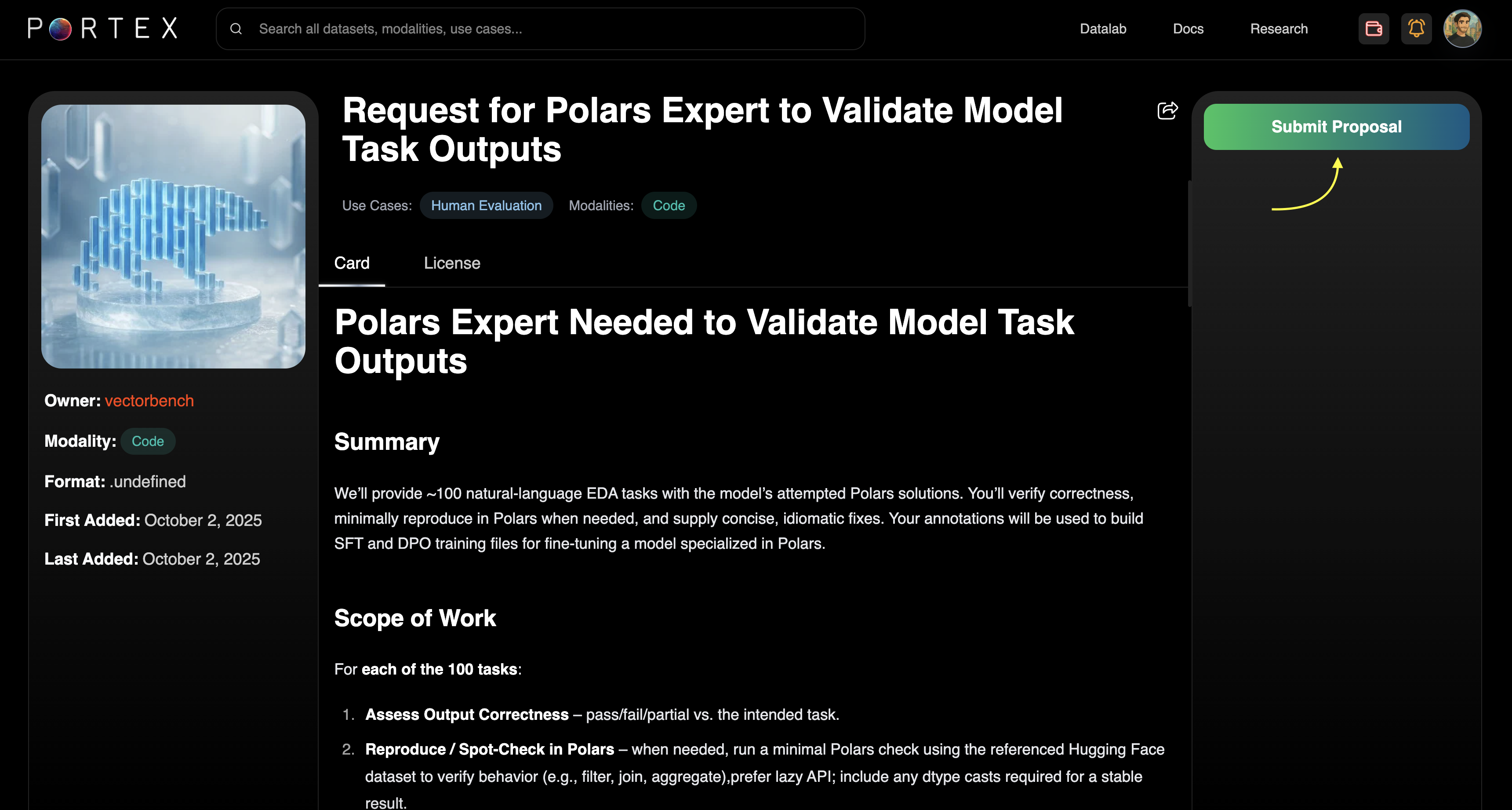
Browse open RFPs on the Explore page under the RFPs tab. Click into an RFP to read the full specification.
Click "Submit Proposal" to open the proposal form. This takes you to the Data Studio where you can write your proposal, describe your credentials, and attach a dataset.
## Reviewing Responses (Buyers)
Submitted proposals appear under RFPs > Requests in your Data Studio. Each response shows the seller's message, attached dataset details, file size, and schema.
You can accept or reject each response. Accepted responses convert into a purchasable listing, which you can then checkout normally.