# What is Portex?
Expert-authored evals for state-of-the-art AI models.
PortexAI builds evaluations ("evals") for state-of-the-art AI models and agents. Evals have become a bedrock of the AI ecosystem as they are increasingly doing double duty: they both contextualize model performance in benchmarks and provide reward signals for post-training and reinforcement learning.
Portex Evals are expert-authored, domain-specific evaluation datasets and grading rubrics designed to measure frontier and economically-relevant work by AI models. Each eval is a set of procedural tasks (with optional reference files) plus a private answer key and explicit rubric used by our AsymmetryZero LLM-jury protocol or lexical judge to produce standardized scores and reports.
The [PortexAI Datalab](https://datalab.portexai.com) is where experts design, publish, and commercialize evals and accompanying datasets, and where model builders can license task bundles or evaluate their model's responses.
These docs cover how to create evals, run them, and use the Datalab as either an expert or a model builder.
{% hint style="success" %}
New here? Start with [Creating an Account](/portex-docs/getting-started/creating-an-account) or read [How Evals Work](/portex-docs/core-concepts/how-evals-work) for a conceptual overview.
{% endhint %}
# How Evals Work
A conceptual overview of Portex Evals and how they work.
## What is a Portex Eval?
A Portex Eval is a private, expert-authored test that measures how well AI models perform on real-world, domain-specific work or frontier knowledge. Unlike public benchmarks (which are prone to data contamination), Portex Evals keep answer keys hidden from models and use rubric-driven grading to produce standardized scores. Tasks can be completed *agentically* (multi-turn, e.g. with Codex or Claude Code) or in *Q\&A style* (single-turn, vanilla model reasoning without external tools).
Each eval consists of:
* A set of tasks (prompts, optionally with reference files like PDFs, images, or CSVs)
* A private answer key with a rubric that defines how each task is scored
## Eval Types
Portex supports two types of evals, each suited to different kinds of model capability measurement.
### Q\&A (Single-Turn)
Q\&A evals are prompt-driven. The model receives a task prompt (and optionally a reference file), produces a single response, and that response is graded. This is the standard eval format for measuring knowledge, reasoning, and analysis.
Q\&A evals are well-suited to tasks like:
* Answering domain-specific questions without tools/coding/web search
### Agentic (Multi-Turn)
Agentic evals test a model's ability to operate autonomously over multiple turns in a sandboxed environment. Instead of producing a single response, the model acts as an agent: it can execute code, read and write files, use tools, and iterate toward a solution.
Each agentic task runs inside a container with a configurable environment (base image, installed packages, resource limits, and timeouts). The eval author defines what tools are available and what the environment looks like. The agent interacts with this environment across multiple turns until it produces a final output.
Agentic evals are well-suited to tasks like:
* Writing and executing code to solve a problem
* Performing multi-step research or data analysis
* Working with files, APIs, or command-line tools
* Tasks that require planning, error recovery, and iteration
Agentic evals on Portex are built on the [Harbor](https://harborframework.com/) framework, which provides the sandboxed execution environment and agent orchestration.
## Key Concepts
**Task** — A single prompt given to a model. Tasks are procedural: they ask the model to produce a work product (e.g., a legal memo, a financial calculation, a code review) rather than answer trivia. In Q\&A evals, tasks are self-contained prompts. In agentic evals, tasks also include an environment specification and available tools.
**Environment** — A set of configurations for agentic tasks. Portex integrates with the [Harbor](https://harborframework.com/) framework for agentic evals.
**Answer Key** — A golden reference answer for each task, kept private by default. Only the grading system sees it. Accompanies the rubric.
**Grading Criteria** — A rubric of objective criteria, each with a weight (summing to 100%) and a scoring method. Supported types:
* Semantic (LLM-as-a-Judge): An LLM jury evaluates whether the model's response satisfies the criterion
* Exact Match: Exact string matching against an expected value
* Lexical: Exact string or regex matching
* Binary, ordinal, and numeric types for structured answers
**Pass Threshold** — A per-task percentage. If the weighted score across all criteria meets or exceeds this threshold, the task is marked as passed.
**Core Dataset** — The complete bundle (tasks, answers, reference files, expert notes and harbor-compliant file artifacts) that can be licensed separately. Buyers use Core Datasets for model improvement, including reinforcement learning.
**LLM Jury** — A private configurable ensemble of language models that applies the rubric to grade model responses. Models under evaluation never see the answer key or rubric.
**O\*NET-SOC Taxonomy** — Evals can be tagged to occupations in the BLS O\*NET-SOC system (nearly 1,000 occupational titles aligned to the 2018 SOC). This enables benchmarking by job family and real-world task type. Experts assign an occupation tag when creating a listing; if left unselected, Portex assigns one.
## Lifecycle
### For experts
1. Choose an eval type (Q\&A or Agentic)
2. Author tasks with answer keys and grading criteria
3. For agentic evals, configure the execution environment (packages, resources, timeouts)
4. Upload to the Datalab via the Eval Builder or file import
5. Choose a publishing model (commercial or [open source](https://github.com/portex-ai/portex-documentation/blob/master/for-experts/open-sourcing-an-eval.md))
6. Create and publish a listing. Model builders can now discover, download tasks, and submit runs.
### For model builders
1. Browse evals on the Datalab. Filter by occupation, difficulty, modality, or model performance.
2. Download the Task Bundle (tasks.json and reference files)
3. Run a model locally to produce responses (for agentic evals, this means running an agent against the task environment via Harbor)
4. Upload `model_responses.json` and purchase a run
5. Receive a results report with per-task scores, grader notes, and summary statistics
## Example Eval
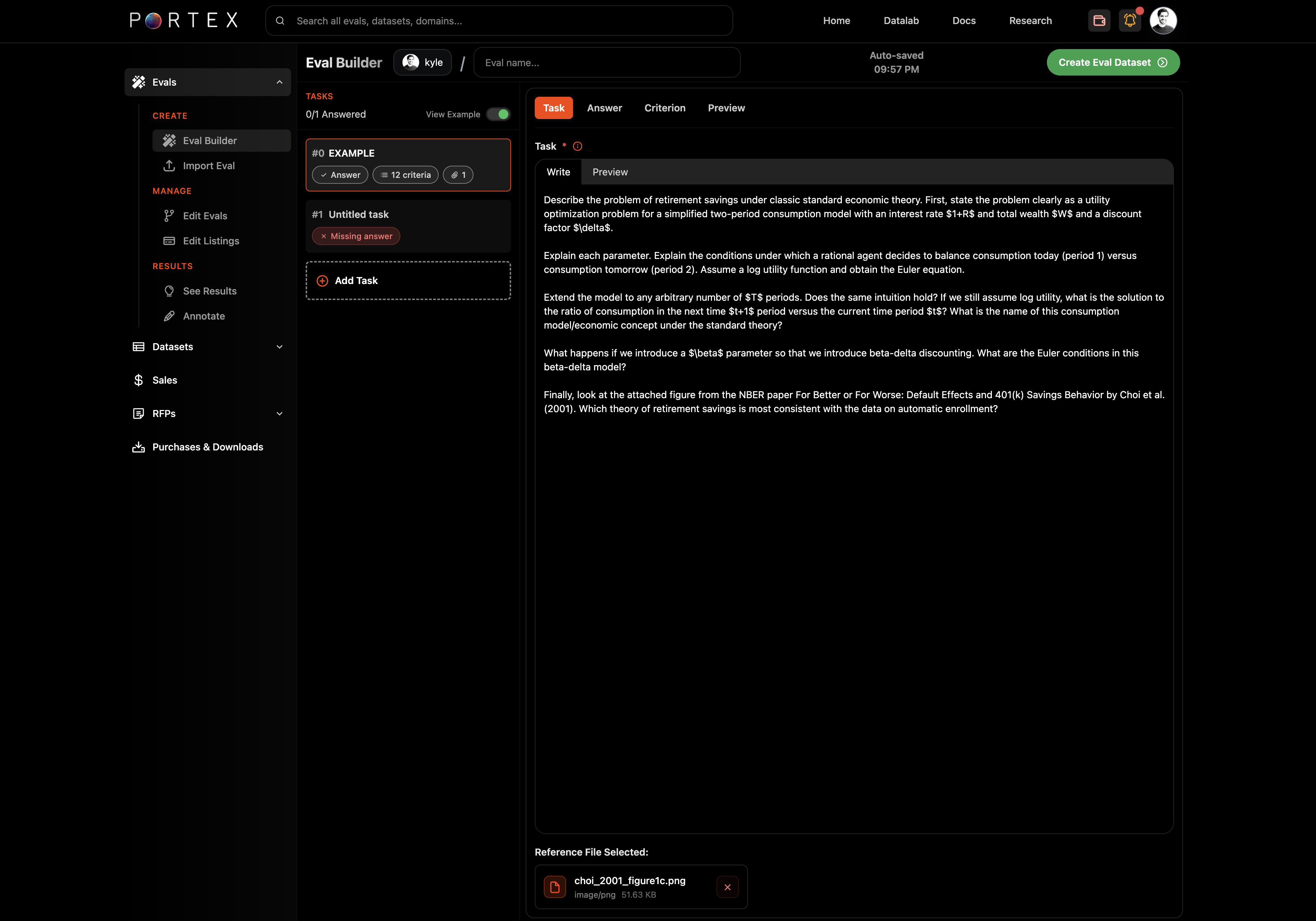
An example Q\&A task at the high undergraduate/low graduate level in economics for illustrative purposes.
{% code overflow="wrap" expandable="true" %}
```json
// Example task.json in Behavioral Economics
{
"version": 1,
"prompts": [
{
"task_id": "HfQM4Y",
"task_prompt": "Describe the problem of retirement savings under classic standard economic theory. First, state the problem clearly as a utility optimization problem for a simplified two-period consumption model with an interest rate $1+R$ and total wealth $W$ and a discount factor $\\\\delta$.\\n\\nExplain each parameter. Explain the conditions under which a rational agent decides to balance consumption today (period 1) versus consumption tomorrow (period 2). Assume a log utility function and obtain the Euler equation. How do the parameters $1+R$ and $\\\\delta$ impact the decision to consume today vs. tomorrow?\\n\\nExtend the model to any arbitrary number of $T$ periods. Does the same intuition hold? If we still assume log utility, what is the solution to the ratio of consumption in the next time $t+1$ period versus the current time period $t$? What is the name of this consumption model/economic concept under the standard theory?\\n\\nFinally, what happens if we introduce a $\\\\beta$ parameter so that we introduce beta-delta discounting. What are the Euler conditions in this beta-delta model?",
"reference_file": ""
}
]
}
```
{% endcode %}
{% code overflow="wrap" expandable="true" %}
```json
// Example answers.json in Behavioral Economics
[
{
"task_id": "HfQM4Y",
"answer": "The standard theory describes the concept of consumption smoothing: rational agents do not all of the sudden drop consumption once they retire and instead would like to balance consumption over time rather than favoring consumption today versus consumption tomorrow.",
"reference_file": "",
"tools": [],
"criteria": [
{
"id": "459ae047-6ec7-491b-8f9c-2cc9dccf4ace",
"name": "Defines consumption model",
"type": "semantic",
"description": "",
"weight": 10,
"rationale": "",
"examples": [],
"semanticPrompt": "Response includes a formula for lifetime utility $U$ depending on how much the individual consumes today and how much he/she consumes in the future. For example, for a simple two-period model where $t = \\\\{1, 2\\\\}$\\nthe individual chooses consumption in period 1, $c_1$, and consumption in period 2, $c_2$, this is the formula: $$U = u(c_1) + \\\\delta u(c_2)$$"
},
{
"id": "bfbd849b-a137-462b-9270-c91ab9900ef9",
"name": "Explanation of parameter $\\\\delta$",
"type": "semantic",
"description": "",
"weight": 5,
"rationale": "",
"examples": [],
"semanticPrompt": "States that the parameter $\\\\delta$ captures the weight that the individual places on the future relative to today."
},
{
"id": "75f5d6df-f0d6-4761-98dd-a02983b9e841",
"name": "Optimization problem",
"type": "semantic",
"description": "",
"weight": 10,
"rationale": "",
"examples": [],
"semanticPrompt": "Responses indicates the consumption optimization problem as:\\n \\n$$\\\\max_{c_1, c_2} \\\\ u(c_1) + \\\\delta u(c_2)$$\\n$$s.t. \\\\ c_1 + \\\\frac{c_2}{1 + R} = W$$\\n\\nWhere $R$ is the interest rate, $W$ is total wealth."
},
{
"id": "180b6d3c-022c-4b9d-8f91-882cb9a52fad",
"name": "First order conditions/Euler equation",
"type": "semantic",
"description": "",
"weight": 10,
"rationale": "",
"examples": [],
"semanticPrompt": "From the first order conditions (taking derivatives with respect to each consumption period), response derives the Euler equation as:\\n\\n$$u'(c_1) = \\\\delta(1 + R)u'(c_2)$$."
},
{
"id": "91a407e0-c920-41b8-85c5-4523252ce69c",
"name": "Explanation of Euler equation",
"type": "semantic",
"description": "",
"weight": 10,
"rationale": "",
"examples": [],
"semanticPrompt": "Response explains both sides of the Euler equation as the marginal utility of consuming one unit of $c$ today equal to the marginal benefit of saving one unit today.\\n\\nAn accepted response might also say that for each unit the agent saves today, he gets to consume $1 + R$ units tomorrow, each giving him $u'(c)$ extra units of utility (derivative). In other words, the individual must be indifferent between consuming one more unit today and saving that unit and consuming it in the future."
},
{
"id": "78d21a06-74a7-4608-b985-a4fd782186f8",
"name": "Defines consumption smoothing over T periods",
"type": "semantic",
"description": "",
"weight": 10,
"rationale": "",
"examples": [],
"semanticPrompt": "Response defines the problem over $$T$$periods and solves the following optimization problem, noting the final ratio of future consumption to current consumption as indicated below:\\n\\n$$\\\\max_{c_1, ..., c_T} \\\\ u(c_1) + \\\\delta u(c_2) + ... + \\\\delta^T u(c_T)$$\\n\\n$$s.t. \\\\ c_1 + \\\\frac{c_2}{1 + R} + ... + \\\\frac{c_T}{(1 + R)^T} = W$$\\n\\nfor all $t$ and $t+1$, the Euler equation can be written as:\\n\\n$$u'(c_t) = \\\\delta(1 + R)u'(c_{t+1})$$\\n\\nand if we assume log utility, we obtain:\\n\\n$$\\\\frac{c_{t+1}}{c_t} = \\\\delta(1 + R)$$"
},
{
"id": "b708ae8e-7843-4b9b-86b0-f806f0ffdff5",
"name": "Intuition of consumption smoothing over T periods",
"type": "semantic",
"description": "",
"weight": 10,
"rationale": "",
"examples": [],
"semanticPrompt": "Answer concludes that the intuition is the very same for any number of $$T$$ periods."
},
{
"id": "36802c9d-1d79-4e78-9be2-0df0216862b9",
"name": "Euler conditions in beta-delta model for two periods: $$\\\\beta <1$$",
"type": "semantic",
"description": "",
"weight": 5,
"rationale": "",
"examples": [],
"semanticPrompt": "Response states that individuals place more weight on the present if $\\\\beta < 1$ and they consume relatively less in period 2 and more in period 1 (future vs. present)."
},
{
"id": "5f104be0-aefd-41b9-8244-a21c5f3bebaa",
"name": "Euler conditions in beta-delta model for two periods: two periods in the future",
"type": "semantic",
"description": "",
"weight": 5,
"rationale": "",
"examples": [],
"semanticPrompt": "Response states that when trading off consumption between two *different* points in the future with the beta-delta model, the present-bias parameter does not play a role, so the individual appears to be more patient when trading off consumption and savings in future periods"
},
{
"id": "8128d7bd-d045-438c-860b-67f77ae40d21",
"name": "Self-control problem in beta-delta model",
"type": "semantic",
"description": "",
"weight": 10,
"rationale": "",
"examples": [],
"semanticPrompt": "Response states that the introduction of the beta discounting gives rise to a self-control problem whereby individuals plan to save more tomorrow, but when tomorrow arrives, they succumb to the temptation to consume more than they planned to."
},
{
"id": "dbfc5303-6ac8-4d48-87a8-fff1f1b3db21",
"name": "Explanation of consumption smoothing wrt $R$ and $\\\\delta$",
"type": "semantic",
"description": "",
"weight": 5,
"rationale": "",
"examples": [],
"semanticPrompt": "Assuming we have a log utility function: $u(c) = \\\\log(c)$ the Euler equation can be written as:\\n\\n$$\\\\frac{c_2}{c_1} = \\\\delta(1 + R)$$\\n\\nThe higher $R$ and the higher $\\\\delta$, the more the individual will consume tomorrow relative to today."
},
{
"id": "64344fa1-0264-42cf-ae0c-ceaa0ee4c71f",
"name": "Names Consumption Smoothing",
"type": "semantic",
"description": "",
"weight": 10,
"rationale": "",
"examples": [],
"semanticPrompt": "Response calls this the Life Cycle theory or Consumption Smoothing under the standard model."
}
],
"passThreshold": 70
}
]
```
{% endcode %}
## Compatibility
Portex agentic tasks are compatible with the [Harbor](https://harborframework.com/) framework.
# PSDLA
The Portex Standard Data License Agreement (PSDLA) is an open source data license framework.
Data licensing has become increasingly important in the age of AI. Whether protecting valuable IP or structuring exclusive deals, there is a need for clear and modular data licensing standards for both data owners and acquirers. The Portex Standard Data License Agreement (PSDLA) framework addresses this.
Inspired by Creative Commons' "pick-a-badge" simplicity, PSDLA lets experts choose a license that matches their commercial goals without re-drafting a full contract each time.
{% embed url="" %}
## Why use PSDLA?
* Purpose-built for data and AI: clauses cover model-training rights, derivative-model IP, output indemnification, and more.
* Modular: all versions share a common template covering ethical, practical, and transaction considerations, with pre-built clauses for common permutations (e.g., exclusive vs. non-exclusive).
* Human-readable and machine-readable: each license ships as Markdown and JSON for UI integration and API access.
* Versioned: follows SemVer (e.g., `v1.0`, `v1.1`, `v2.0`) to account for improvements.
## PSDLA Overview (v1.0)
| Code | Exclusivity | Commercial Scope | Extra Options | Typical Use Case |
| -------------------------------------- | ---------------------------------------------------------------------- | ---------------------------------------------------------------------------------------------- | ------------------------------------------------------ | ---------------------------------------------------------------- |
| PSDLA-NE "Non-Exclusive" | Seller may re-sell at any time | Unlimited commercial use of insights and model outputs; may deploy in production | Standard AI use-case provisions | Datasets that can be sold to many buyers |
| PSDLA-EX "Exclusive" | Sole buyer for the Exclusivity Term; right of first refusal afterwards | Same freedoms as PSDLA-NE | Standard AI use-case provisions | Buyer pays premium for a head-start |
| PSDLA-NE-L "Non-Exclusive Limited" | Seller may re-sell under specified limitations | Commercial use with seller-imposed limitations | Seller specifies usage restrictions | Seller restricts usage based on ethical or commercial framework |
| PSDLA-EX-L "Exclusive + Field-Limited" | Same exclusivity as PSDLA-EX under specified limitations | Commercial use with seller-imposed limitations | Seller specifies usage restrictions; duration selector | Seller grants exclusivity in one vertical while retaining others |
| PSDLA-RS "Revenue-Share" | Specified by seller | Commercial use allowed, but buyer remits Y% of gross revenue from products trained on the data | Audit and reporting clause; duration selector | Sellers seeking recurring upside from high-value datasets |
## Configuring a License on the Datalab
When creating a listing, click "Configure License" to open the license editor. You can:
1. Select a base PSDLA variant
2. Set the license duration (1-10 years)
3. Add custom clauses (e.g., field-of-use limitations, specific industry restrictions)
4. Preview the compiled license text
Changes apply only to the listing being edited. The live preview updates as you make changes.
## Contributing
Pull requests welcome. Please open an issue first to discuss major changes or new license permutations. When contributing a new version:
1. Copy an existing license file.
2. Bump the minor or major version as appropriate (`v1.1`, `v2.0`, ...).
3. Update the change-log in the file header.
4. Submit a PR with a clear description of why the change is required.
# Creating an Account
Set up your account on the PortexAI Datalab.
## Register
Go to [datalab.portexai.com](https://datalab.portexai.com) and click Register. Enter your email address, check the Terms & Conditions box, and submit.
## Complete Your Profile
Fill in your username, name, and password. You can optionally add a profile picture and link your HuggingFace, GitHub, or X accounts.
### Seller access
If you plan to sell datasets or publish evals, select "Yes" when asked "Do you want to be able to sell datasets?" and provide a brief description of your data.
### RFP access
If you want to issue Requests for Proposals (to commission datasets from experts), select "Yes" when asked about RFP access.
## Connect Stripe (Optional)
To receive payouts via traditional payment rails, go to Account Settings and click "Connect with Stripe." This takes 2-3 minutes and enables you to receive payments via ACH or credit card in addition to USDC.
## Next Steps
* Experts: continue to the [Quickstart](/portex-docs/getting-started/quickstart) or jump to [Creating an Eval](/portex-docs/for-experts/creating-an-eval)
* Model builders: see [Browsing Evals](/portex-docs/for-model-builders/browsing-evals)
# Quickstart
Get up and running on the Portex Datalab.
This page gives a short overview of the two main workflows on Portex. For detailed guides, follow the links in each section.
## For Experts
You create evals and sell (or open-source) them.
1. [Create an account](/portex-docs/getting-started/creating-an-account) with seller access enabled
2. [Design your eval](/portex-docs/for-experts/eval-design-guide): decide between Q\&A (single-turn) and Agentic (multi-turn) and follow the best practices guide
3. [Build your eval](/portex-docs/for-experts/creating-an-eval) using the Eval Builder (or [import files](/portex-docs/for-experts/importing-an-eval) for Q\&A evals if you prefer working in an editor)
4. [Publish a listing](/portex-docs/for-experts/publishing-your-eval) commercially, or [open-source it](https://github.com/portex-ai/portex-documentation/blob/master/for-experts/open-sourcing-an-eval.md) for community use
5. [Review results](/portex-docs/for-experts/reviewing-results) as model builders submit runs and annotate responses to improve your eval
## For Model Builders
You run models against expert evals and receive scored reports.
1. [Create an account](/portex-docs/getting-started/creating-an-account)
2. [Browse evals](/portex-docs/for-model-builders/browsing-evals) on the Datalab
3. [Run an eval](/portex-docs/for-model-builders/running-an-eval): download tasks, generate model responses, upload and pay
4. Optionally [purchase the Core Dataset](/portex-docs/for-model-builders/purchasing-a-core-dataset) for model improvement
# Eval Design Guide
Best practices for designing effective evals on Portex.
This guide covers how to design evals that produce meaningful, reproducible measurements of AI model capability. It is intended for domain experts authoring evals on the Portex Datalab.
## Choosing an Eval Type
Before writing tasks, decide whether your eval should be Q\&A (single-turn) or Agentic (multi-turn). The right choice depends on what you are measuring.
### When to use Q\&A
Choose Q\&A when the task can be answered in a single response without executing code or interacting with an environment. Q\&A evals test knowledge, reasoning, and the ability to produce written work products.
Examples: a difficult mathematics problem or interpreting a single image.
### When to use Agentic
Choose Agentic when the task requires the model to act, not just answer. Agentic evals test a model's ability to plan, execute code, use tools, handle errors, and iterate toward a solution in a sandboxed environment.
Examples: writing and running code to process a dataset, performing multi-step research using web tools, extracting information from a complex document using OCR and scripting, debugging a failing program.
Agentic evals run on the [Harbor](https://harborframework.com/) framework. Each task gets its own container with the packages, tools, and resources you specify.
### Can I mix types?
No. Each eval is either Q\&A or Agentic. If you need both types of tasks, create separate evals.
## Task Design
### Real work, not trivia
Good Portex tasks ask models to produce real work products that are longer time horizon, more complex in nature, and have more realistic references and prompts. Avoid questions that can be answered via web search or brute-force memorization.
Think about what a competent professional in your field would be asked to do, then translate that into a prompt.
### Be specific and self-contained
Each task prompt should contain everything the model needs to attempt a response (or point to an attached reference file). Avoid ambiguous phrasing. State the expected output format explicitly (e.g., "report two decimal points," "list all underlying calculations").
### Use reference files when needed
You can attach reference files to provide documents, images, or datasets that the task requires. Accepted formats: PDF, images (JPG, PNG, WebP, GIF), CSV, TXT, JSON, Markdown, HTML.
For Q\&A evals, you can attach one reference file per task. For agentic evals, you can attach multiple reference files. These files are mounted into the agent's container and accessible at known paths.
{% hint style="info" %}
For agentic evals, the total size of all reference files for a task must fit within the container's memory allocation. Keep this in mind when choosing resource presets.
{% endhint %}
### Aim for quality over quantity
Starting with 5-10 well-crafted tasks with deep rubrics is better than 50 shallow ones. That said, more tasks produce more robust scores, so add tasks as you iterate. Portex maintains leaderboards for each eval showing how frontier models perform, so you can calibrate and adjust your rubrics over time.
## Designing Agentic Tasks
Agentic tasks require additional design considerations beyond the prompt and answer.
### Define the environment
Each agentic task runs in a container. You control:
* **Base image**: The Docker image the container starts from (e.g., `python:3.11-slim`, `ubuntu:24.04`)
* **System packages**: OS-level packages installed via apt-get
* **Python packages**: Pip packages available to the agent
* **Resources**: CPU, memory, storage, and GPU allocations
* **Timeouts**: How long the agent can run before being stopped
Use [environment presets](https://github.com/portex-ai/portex-documentation/blob/master/core-concepts/harbor.md#environment-presets) as a starting point for your domain, then customize as needed.
### Specify tools
List the tools available to the agent (e.g., `python3`, `bash`). The tool list tells the agent what it can use to solve the task. Keep the list focused: only include tools relevant to the task.
### Write verifiable tasks
Agentic tasks work best when they have a clearly verifiable output. Good patterns include:
* Produce an exact numeric or string value
* Generate an answer that can be checked programmatically
This lets you use Exact Match criteria alongside LLM-as-a-Judge criteria for more reliable grading.
Note that grading only works with written text outputs right now. Excel files or PDFs as deliverables are not yet accepted.
### Set appropriate timeouts
Consider how long a competent agent should take. The default agent timeout is 15 minutes (900 seconds). For complex tasks that involve installing packages, running computations, or making network requests, you may need to increase this. For simpler tasks, a shorter timeout prevents wasted compute.
### Include metadata
Agentic tasks support metadata fields that help with organization and analysis:
* **Difficulty**: easy, medium, or hard
* **Category**: a free-text label (e.g., "software-engineering", "data-analysis")
* **Tags**: multiple tags for filtering and grouping
* **Time estimates**: how long a domain expert and a junior practitioner would take, in minutes
## Answer Keys
The answer key for each task is kept private. It is never shown to models or buyers unless you license the Core Dataset or open-source the eval.
Answers do not need to be in a rigid format. They can be numerical, textual, or structured. The only requirement is that the answer key does not contain information that was not asked for in the task prompt.
Detailed rationales are optional but recommended. Including a rationale (how the answer was derived) helps the LLM jury grade more accurately, especially for complex multi-step tasks.
## Grading Criteria
Each task should have one or more grading criteria. Criteria define what the judge checks for when scoring a model's response.
### Criteria fields
* Name: a short label (e.g., "Calculates total campaign cost")
* Type: how the criterion is evaluated (see below)
* Weight: relative importance as a percentage of the task score
* Description: what constitutes a correct response for this criterion
* Semantic prompt (for LLM-as-a-Judge criteria): the instruction given to the LLM jury
{% hint style="warning" %}
If your task is an exact match or multiple choice, a rubric is optional. If you do specify a rubric, make sure that any exact figures are included clearly in the Explicit Grading Criterion.
{% endhint %}
### Criteria types
**LLM-as-a-Judge (semantic)**: The LLM jury evaluates the model's response against the criterion using natural language understanding. Use this for open-ended, reasoning-heavy answers where exact matches are not feasible. Available for both Q\&A and agentic evals.
**Exact Match**: The model's response must exactly match a specified string. Use this for answers that must be a specific value. Available for agentic evals only.
For imported eval JSON, Portex also supports lexical, binary, ordinal, numeric, and regex-style criteria when you need more structured checks.
{% hint style="info" %}
Agentic evals often combine both types: Exact Match for verifiable outputs (like a computed hash or numeric result) and LLM-as-a-Judge for qualitative aspects (like code quality or reasoning approach).
{% endhint %}
### How many criteria?
Aim for 5-20 criteria per task. More granular criteria produce richer reports and make it easier to identify specific weaknesses in model responses. Each criterion should check for one distinct aspect of a correct answer.
### Weighting
Assign weights that reflect each criterion's importance. Weights should sum to 100% across a task. If they don't, the Eval Builder offers an auto-normalize function to redistribute them.
For multi-step tasks, consider giving higher weight to the final answer and lower weight to intermediate calculations that a model might arrive at through a different (but valid) method.
### Pass threshold
Set the pass threshold as the minimum weighted score for a task to be considered passed. A common starting point is 70%, but this depends on your domain. For tasks where partial credit is appropriate, a lower threshold works. For tasks that are all-or-nothing (e.g., the final answer must be correct), consider 90-100%.
## Pricing Considerations
You set two prices when publishing an eval:
* Per-eval run: what a model builder pays each time they submit responses and receive a graded report
* Core Dataset (optional): a one-time purchase price (and/or minimum bid) for the full bundle of tasks, answers, criteria, and reference files
Core Datasets are valuable to model builders for reinforcement learning and fine-tuning. Including answer keys and detailed rationales supports a higher price point.
Alternatively, you can [open-source your eval](https://github.com/portex-ai/portex-documentation/blob/master/for-experts/open-sourcing-an-eval.md) at no cost to maximize community adoption and public benchmarking.
## Iteration
Evals are not static. After publishing, monitor the leaderboard. If frontier models are scoring above 90% consistently, consider adding harder tasks. You can [edit your eval](/portex-docs/for-experts/editing-an-eval) and version it at any time.
# Creating an Eval
How to create an eval using the Eval Builder.
The Eval Builder is the primary way to create evals on Portex. It lets you write tasks, answers, and grading criteria directly in the platform without preparing files externally.
If you prefer working with JSON files in an editor or IDE, see [Importing an Eval](/portex-docs/for-experts/importing-an-eval) (Q\&A evals only).
## Choose an Eval Type
From the Data Studio, navigate to Evals > Eval Builder. You will see a type selection screen with two options:
* **Agentic, Multi-Turn**: Task-driven evals with configurable tools and iterative execution. The agent runs in a sandboxed container and can execute code, use tools, and iterate across multiple turns. Built on the [Harbor](https://harborframework.com/) framework.
* **Q\&A, Single-Turn**: Prompt-driven evals focused on direct model reasoning. The model receives a prompt and produces a single response.
Select the type that matches your eval. See [Eval Design Guide](/portex-docs/for-experts/eval-design-guide#choosing-an-eval-type) for guidance on when to use each type. The type applies to the entire eval and cannot be mixed.
## Open the Eval Builder
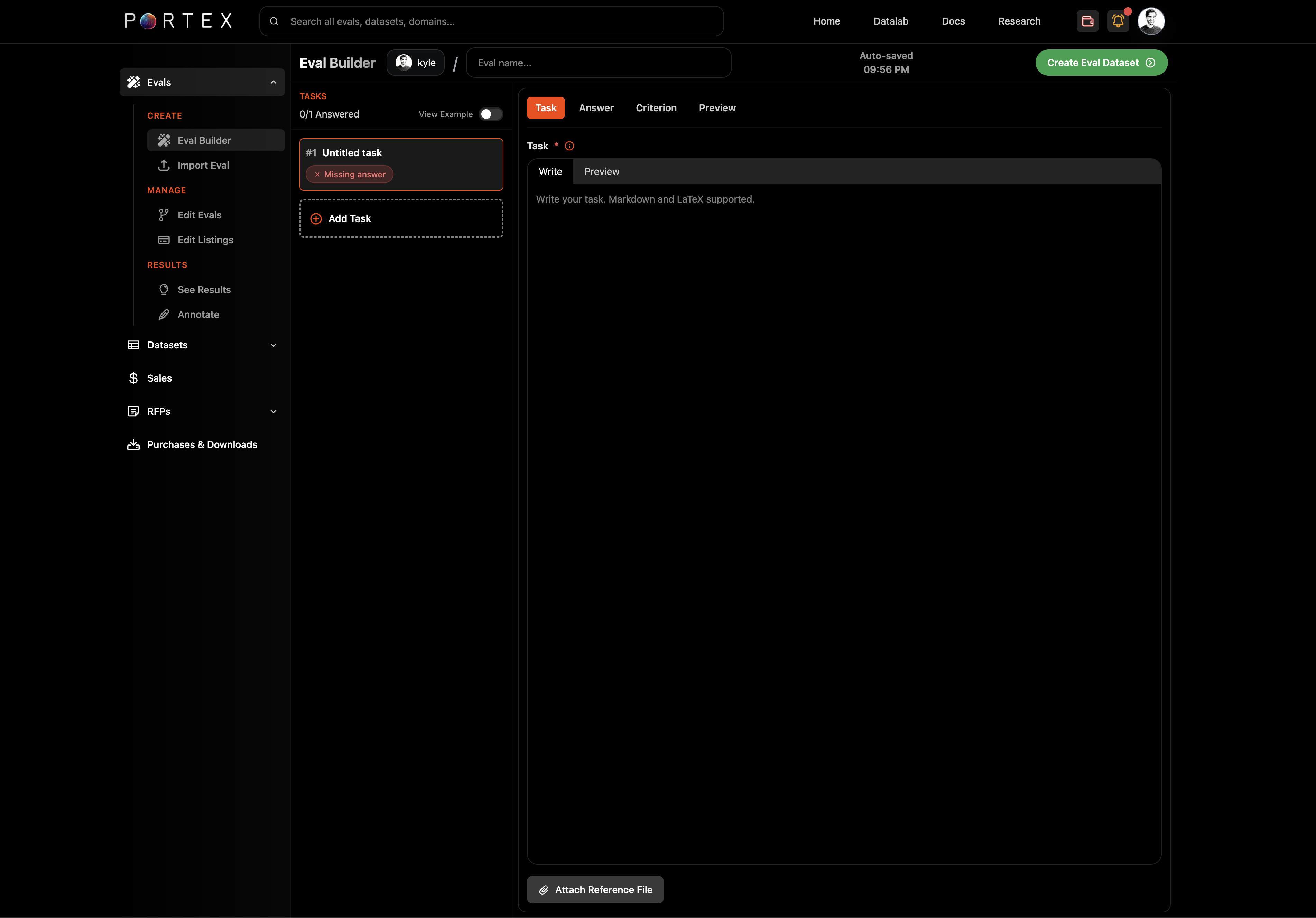
After selecting a type, the Eval Builder opens. At the top, give your eval a name. The builder auto-saves as you work.
{% hint style="info" %}
You can view an example eval by toggling "View Example" in the Eval Builder header. For agentic evals, the example shows a TerminalBench task with environment configuration and Exact Match criteria.
{% endhint %}
## Write a Task
The left panel shows your task list. Click "+ Add Task" to create a new task.
In the right panel, the Task tab provides a markdown editor with LaTeX support. Write your task prompt here. Be specific about the expected output format and any constraints (see the [Eval Design Guide](/portex-docs/for-experts/eval-design-guide) for best practices).
### Attach reference files
If your task requires the model to analyze a document, image, or dataset, click "Attach Reference File" below the editor.
* **Q\&A evals**: one reference file per task. Accepted formats: PDF, images (JPG, PNG, WebP, GIF), CSV, TXT, JSON, Markdown, HTML.
* **Agentic evals**: multiple reference files per task. Files are mounted into the agent's container. The total size of all reference files must fit within the container's memory allocation. Agentic tasks accept most file extensions.
## Write the Answer (Golden Reference Solution)
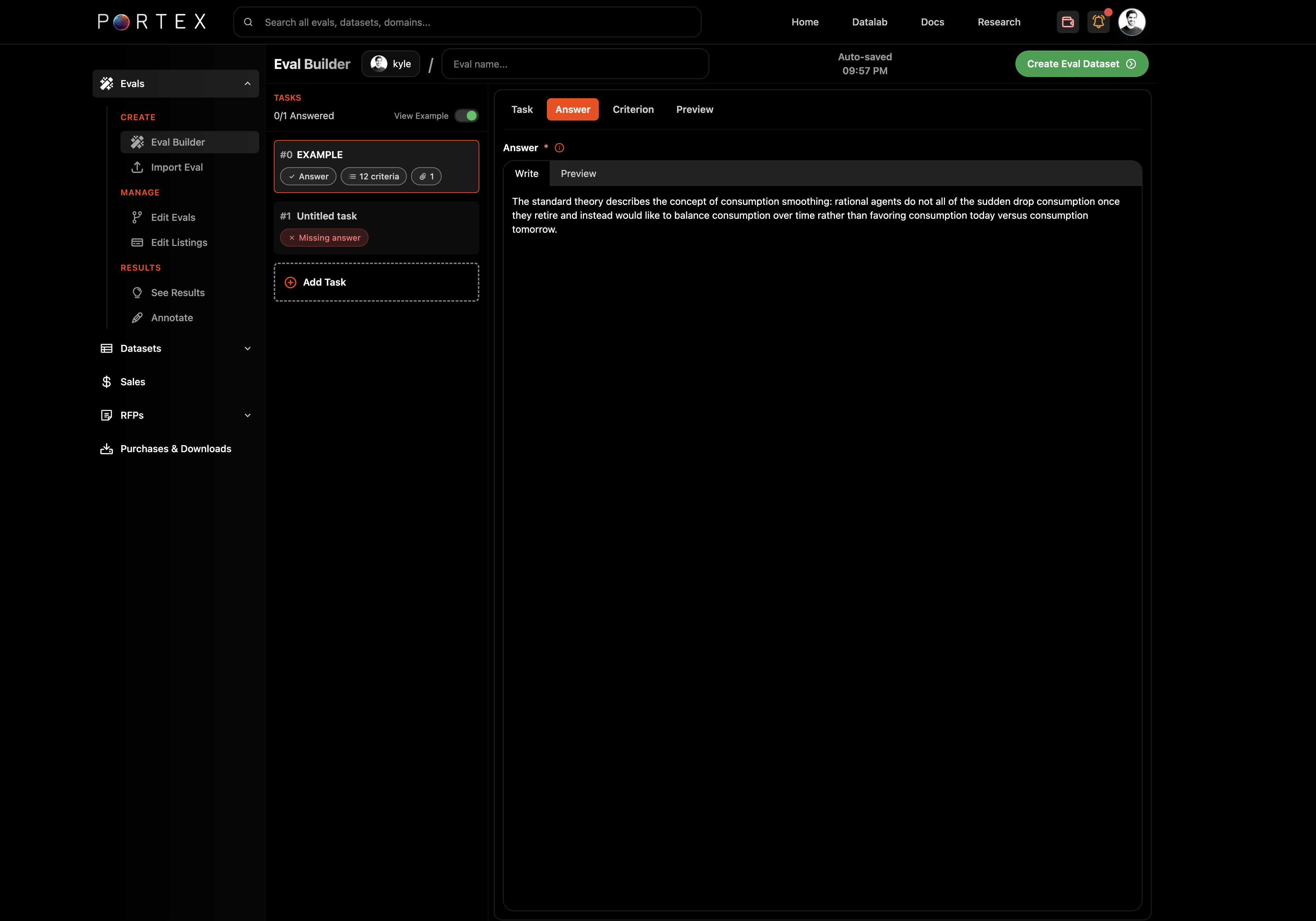
Switch to the Answer tab and enter the correct answer for the task. This field is required. This serves as the golden reference solution. Think: what is the most important, salient output from this task?
The answer key is kept private by default. Models and buyers do not see it unless you sell the Core Dataset.
## Define Grading Criteria (Rubric)
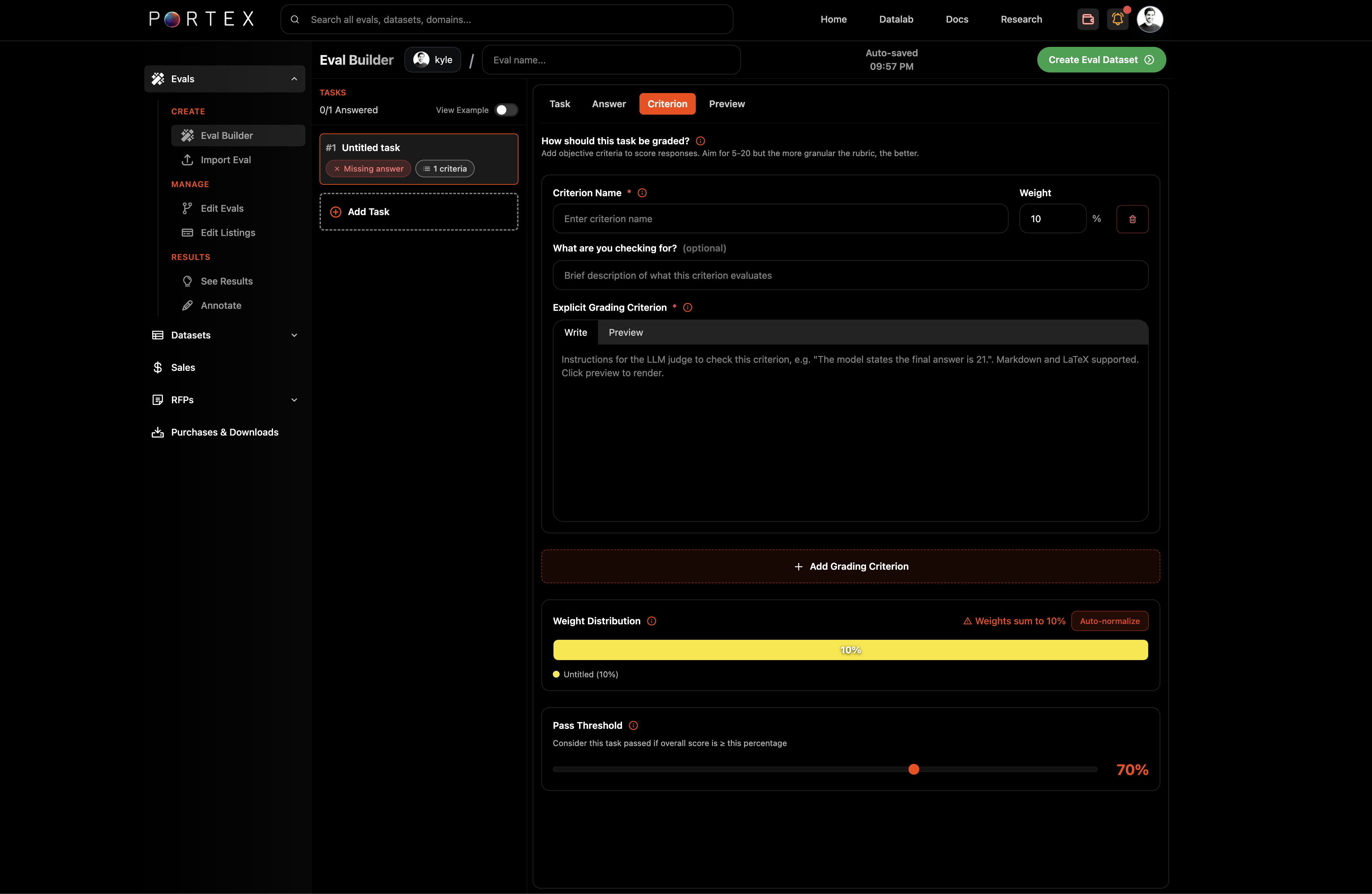
Switch to the Criterion tab. Here you define a rubric of criteria.
{% hint style="warning" %}
Note: If you use a rubric, make sure to specify exact numbers in the "Explicit Grading Criterion". For example, if the solution to a calculation is $145,824, this number must appear in the Explicit Grading Criterion so the judges know what to look for. Repeat info from the Answer as needed.
{% endhint %}
Click "+ Add Grading Criterion" to add a criterion. For each criterion, fill in:
* Criterion Name (required): a short label describing what is being checked
* Grader Type: choose between LLM-as-a-Judge (semantic evaluation by an LLM jury) or Exact Match (string comparison, agentic evals only)
* Weight: the percentage weight for this criterion
* Description (optional): context for what you are checking
* Explicit Grading Criterion (required): the specific details the judge should check. For LLM-as-a-Judge, this is the prompt sent to the jury. For Exact Match, this is the expected string value. Include exact numbers and figures when relevant. Supports markdown and LaTeX.
### Weight distribution
The bottom of the Criterion tab shows a weight distribution bar and the total weight sum. Click "Auto-normalize" if your weights do not sum to 100%.
### Pass threshold
Set the pass threshold as a percentage (e.g., 70%). A task is marked as passed if the weighted score across all criteria meets or exceeds this value.
## Configure the Environment (Agentic Only)
For agentic evals, the Environment tab appears in the task editor. This is where you define the sandboxed container that the agent will run in.
### Environment presets
Start by selecting an environment preset that matches your domain. Presets pre-configure the base image, packages, resources, and timeouts for common use cases:
* **General Researcher**: Web research, document parsing, light analysis
* **Finance Analyst**: Tabular analytics, stats, spreadsheets
* **Legal Review**: OCR, PDF extraction, legal document workflows
* **Chemistry**: Cheminformatics with RDKit and Open Babel
* **Data Science**: General ML and analysis
See [Harbor: Environment Presets](https://github.com/portex-ai/portex-documentation/blob/master/core-concepts/harbor.md#environment-presets) for full details on each preset.
### Container configuration
You can configure the container in two modes:
**Simple mode**: Select a base image from the dropdown (e.g., `python:3.11-slim`, `ubuntu:24.04`, `node:20-slim`) and add system packages (via apt-get) and Python packages (via pip). You can pin package versions (e.g., `pandas==2.2.3`).
**Dockerfile mode**: Write a custom Dockerfile for full control over the build process. The Dockerfile must contain a `FROM` instruction and has a 10,000 character limit.
### Resources
Set the compute resources for the container:
* **CPUs**: Number of CPU cores
* **Memory**: RAM in MB
* **Storage**: Disk space in MB
* **GPUs**: Number of GPUs (0 for CPU-only tasks)
Resource presets are available: Standard (1 CPU, 2 GB RAM), Boosted (2 CPU, 4 GB), Heavy (4 CPU, 8 GB).
### Timeouts
Configure how long each phase of execution can run:
* **Agent timeout**: How long the agent can execute (default: 900 seconds / 15 minutes)
* **Verifier timeout**: How long the verifier can run to check output (default: 900 seconds)
* **Build timeout**: How long the container build can take (default: 600 seconds / 10 minutes)
### Task metadata
For agentic evals, you can also set task metadata (helpful for open sourcing and for contributing to benchmarks):
* **Difficulty**: easy, medium, or hard
* **Category**: a free-text label (e.g., "software-engineering")
* **Tags**: multiple tags for organization
* **Time estimates**: expected completion time for an expert and a junior practitioner, in minutes
## Preview
The Preview tab renders the task as it will appear to model builders, including formatted markdown, reference files, tools, and (for agentic evals) environment configuration.
## Create the Eval Dataset
Once you have written all your tasks with answers and criteria, click "Create Eval Dataset" in the top right. This packages your work into an eval dataset on the Datalab.
From here, you can [publish a listing](/portex-docs/for-experts/publishing-your-eval) to make the eval available to model builders.
# Importing an Eval
Import a Q\&A eval from JSON files for advanced users.
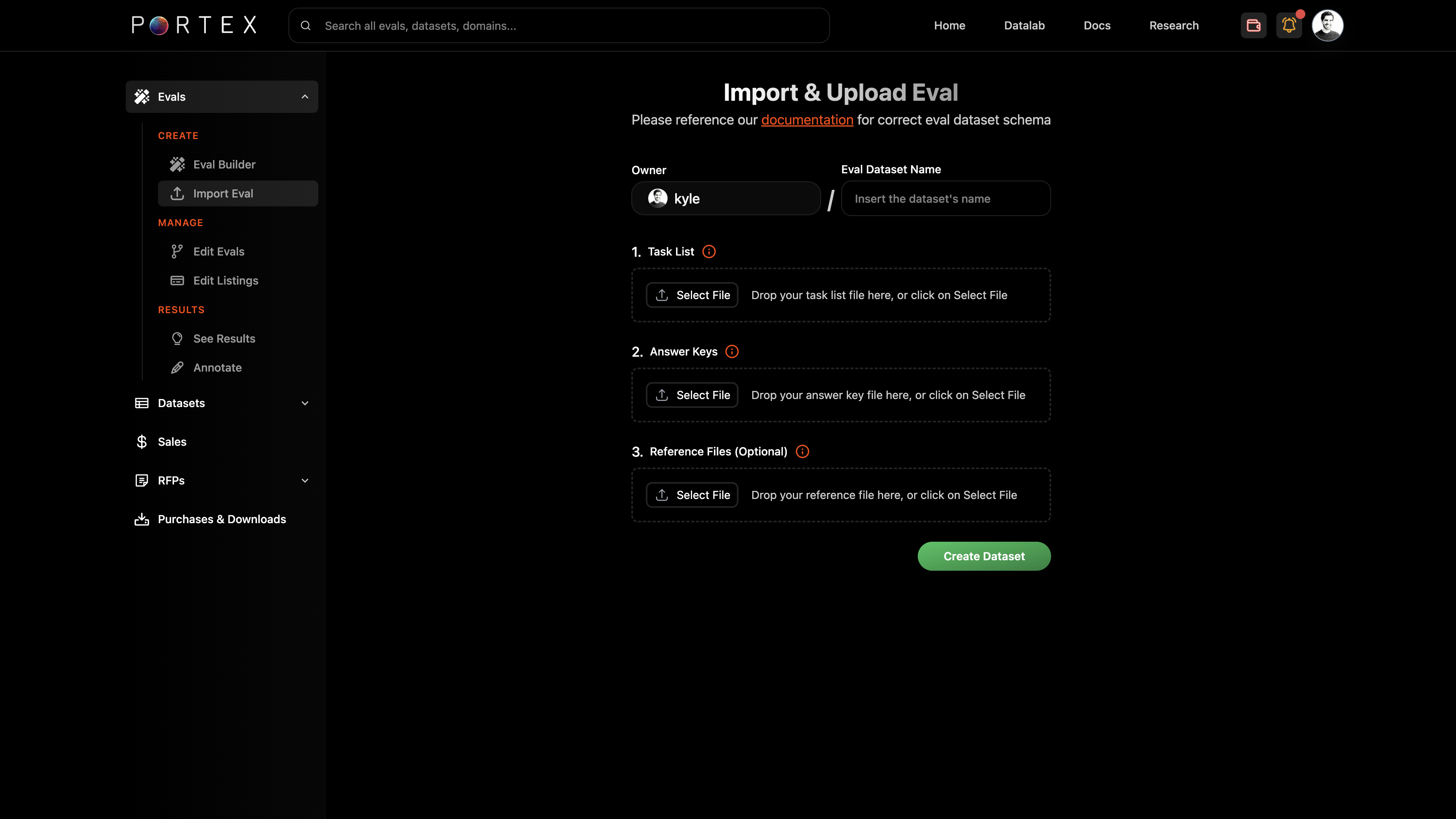
If you prefer authoring Q\&A evals in an editor or IDE, you can upload structured JSON files directly to the Datalab. This path is intended for advanced users who want full control over the eval schema or already have files ready to go locally.
{% hint style="info" %}
JSON import is currently available for Q\&A (single-turn) evals only. To create an agentic eval, use the [Eval Builder](/portex-docs/for-experts/creating-an-eval).
{% endhint %}
## Upload Flow
From the Data Studio, go to Datasets > Upload a File, then select "Eval Dataset." You will be prompted to upload your files.
## Eval Dataset Bundle
An eval dataset consists of up to four parts:
1. tasks.json (required)
2. answers.json (required)
3. Reference files as a .zip archive (optional)
4. Knowledge reference as a .zip archive (optional, for premium offerings)
Every `task_id` in answers.json must also exist in tasks.json. Ensure task ids are unique.
## tasks.json
A JSON array of task objects. Each task must include:
* `task_id`: a unique identifier (string)
* `task_prompt`: the full prompt for the model
* `reference_file`: filename of the attached reference file (or empty string if none)
{% code title="// An example task from the AI Productivity Index (APEX), which measures performance in finance, law, consulting, and medicine." overflow="wrap" expandable="true" %}
```json
[
{
"task_id": "828",
"task_prompt": "I'm working to optimize the distribution of marketing spend for my client for the next cycle to better fit their Family Man target group. They want to focus on campaigns that they have experience with, meaning only Partner + Category combos that they've done more than 2 campaigns with, previously. Among those, disregard campaigns where Family Man is not in top 2 in the attached dataset. The ones left are our campaigns of interest for this analysis. First off, what is the total campaign cost and total impressions of the campaigns of interest?",
"reference_file": "Target_Group (1).csv"
}
]
```
{% endcode %}
This file is downloadable by eval buyers so they can generate model responses.
## answers.json
A JSON array of answer objects. Each answer must include:
* `task_id`: matches the task\_id in tasks.json
* `answer`: the correct output (text, number, or structured content)
* `reference_file`: the associated reference file name (if any)
* `criteria`: an array of grading criteria (see below)
* `passThreshold`: minimum weighted score (0-100) for the task to be considered passed
Optional fields:
* `tools`: array of tool names if the task involves tool use (can be empty)
{% code title="// An example task from the AI Productivity Index (APEX), which measures performance in finance, law, consulting, and medicine." overflow="wrap" expandable="true" %}
```json
[
{
"task_id": "828",
"answer": "Calculates the total campaign costs for campaigns of interest as $1,591,118.",
"reference_file": "Target_Group (1).csv",
"tools": [],
"criteria": [
{
"id": "70093557-b436-4700-804a-51a489b949ad",
"name": "Calculates the total campaign costs",
"type": "semantic",
"description": "Calculates the total campaign costs for campaigns of interest as $1,591,118.",
"weight": 14.26,
"rationale": "Using the dataset Target_Group.csv, filter for campaigns with more than 2 campaigns with the same Category + Partners combo. Then filter for campaigns with Family Man in either Target_Group_1 or Target_Group_2. Sum all campaign costs, yielding $1,591,118.",
"examples": [],
"semanticPrompt": "Calculates the total campaign costs for campaigns of interest as $1,591,118. (Acceptable value is $1,591,118)"
}
],
"passThreshold": 70
}
]
```
{% endcode %}
### Criteria schema
Each criterion in the `criteria` array has the following fields:
| Field | Type | Required | Description |
| ---------------- | ------ | ------------ | ------------------------------------------------------------------------------------- |
| `id` | string | Yes | Unique identifier (UUID recommended) |
| `name` | string | Yes | Short label for the criterion |
| `type` | string | Yes | One of: `semantic`, `lexical`, `binary`, `ordinal`, `numeric`, `regex` |
| `description` | string | Yes | What constitutes a correct response |
| `weight` | number | Yes | Percentage weight (all criteria weights for a task should sum to 100) |
| `rationale` | string | No | Explanation of how the correct answer is derived |
| `examples` | array | No | Example responses (can be empty) |
| `semanticPrompt` | string | For semantic | The prompt sent to the LLM jury to evaluate the response (must contain exact figures) |
The answer key is private by default. Buyers never see it unless you sell the Core Dataset.
## Reference Files (Optional)
Bundle any reference files into a .zip archive. Each task can reference at most one file. Accepted formats: PDF, images (JPG, PNG, WebP, GIF), CSV, TXT.
No video or audio files are supported.
The archive structure should be flat (files at the root level):
```
refs.zip/
Target_Group (1).csv
```
## Knowledge Reference (Optional)
A .zip archive containing supplementary expert materials such as answer keys, analyst notes, calculation workbooks, or other resources that support the eval. This forms part of the Core Dataset that can be sold separately to model builders for reinforcement learning.
## After Upload
Once your eval dataset is created, proceed to [Publishing Your Eval](/portex-docs/for-experts/publishing-your-eval) to create a listing.
# Editing an Eval
Edit and version your evals on the Portex Datalab.
Evals are not static. You can edit tasks, answers, and criteria at any time from the Data Studio.
## Making Edits
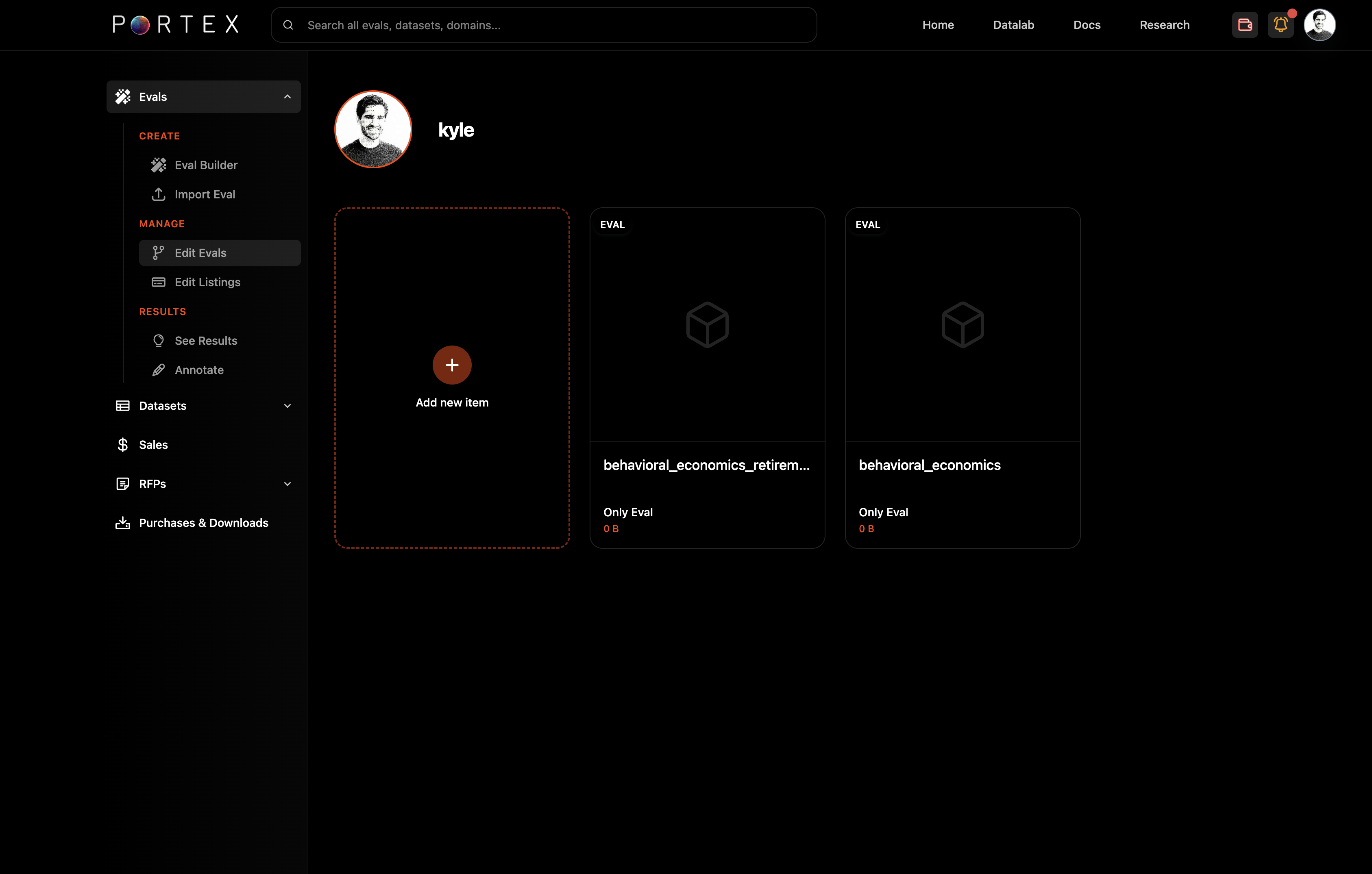
From the Data Studio, navigate to Evals > Edit Eval. Select the eval you want to modify. This opens the Eval Builder with your existing tasks loaded.
You can:
* Add, remove, or rewrite tasks
* Update answer keys and grading criteria
* Adjust weights and pass thresholds
* Add or replace reference files
When you save your changes, a new version of the eval is created and the leaderboards are re-run.
## Versioning
Each save creates a new version of the eval dataset. You can revert to any previous version if needed. This is useful if you make changes that you later want to undo, or if you want to experiment with different task sets.
The new version is automatically linked to your existing listing. No action is needed to update the listing after editing.
## Reviewing Results Across Versions
To compare how models perform across different versions of your eval, use the Annotate page in the Data Studio (under Evals > Annotate). The Annotate view lets you inspect results from Portex-administered leaderboard runs for each version, so you can see the impact of changes to tasks or criteria on model scores.
For more on interpreting results, see [Reviewing Results](/portex-docs/for-experts/reviewing-results).
# Publishing Your Eval
Create a listing and publish your eval on the Datalab.
Once your eval dataset is created, you can publish it as a listing on the Datalab. This makes it discoverable by model builders who can purchase runs against your eval.
## Choose a Publishing Model
When creating a listing, you first choose how your eval will be distributed:
* **Commercial License**: Sell access to your eval with pricing, payment methods, and license configuration. Best when you want to monetize your eval and control terms for buyers.
* **Open Source**: Share your eval publicly with no commercial pricing. Your eval is published to the [portex-ai/tasks](https://github.com/portex-ai/tasks) GitHub repository. Best when your goal is community adoption, transparency, and public benchmarking.
If you choose open source, see [Open-Sourcing an Eval](https://github.com/portex-ai/portex-documentation/blob/master/for-experts/open-sourcing-an-eval.md) for the full details on that flow. The rest of this page covers commercial publishing.
## Set Pricing
From the Data Studio, go to Evals > Manage > Edit Listings. Select your eval dataset and you can manage the listing within the listing editor.
### Pricing fields
* Price Per Eval: the price a model builder pays each time they submit responses and receive a graded report
* Core Dataset Price (Buy Now): a fixed price for the full Core Dataset bundle (tasks, answers, criteria, reference files)
* Core Dataset Minimum Bid: the floor for sealed bids on the Core Dataset
The Core Dataset fields only appear if your eval includes a Core Dataset.
## Configure Listing Details
On the next screen, fill in:
* Title
* Short description (max 300 characters)
* Long description (markdown editor with image upload support)
* Modality, Domain, and Use Case tags
* At least one of:
* **Stripe** account (for Stripe payouts)
* Recipient address (EVM wallet for **USDC** payouts if applicable)
* Preview image (upload or auto-generate)
{% hint style="warning" %}
Note: if you select payouts in USDC, make sure that your wallet supports payments on the Base Network. See more from Coinbase [**here**](https://docs.base.org/base-chain/quickstart/connecting-to-base).
{% endhint %}
### O\*NET-SOC Occupation
You can optionally tag your eval with an occupation from the O\*NET-SOC taxonomy. This helps model builders filter evals by job family and enables occupational benchmarking. If you leave it unselected, Portex will assign one.
## Configure License
Click "Configure License" to choose a PSDLA variant and set terms. See [PSDLA](/portex-docs/core-concepts/psdla) for details on each license type. Default for evals is PSDLA-EVAL.
You can set the license duration (1-10 years) and add custom clauses for field-limited use or other restrictions.
## Publish or Save as Draft
At the bottom of the listing editor, toggle between Draft and Live status. Saving as a draft lets you preview the listing without making it public. When ready, set it to Live and click "Create Listing" (or "Update Listing" for edits).
Your eval is now live on the Datalab. Model builders can find it on the Explore page, download tasks, and submit runs.
You can share your eval and view it live on the Datalab. Once our leaderboard runs are finished, you can see model performance within the Leaderboards tab.
## Managing Your Listing
From the Data Studio under Listings > Edit Listings, you can:
* Edit pricing, descriptions, tags, and license terms
* Toggle between Draft and Live
* Delete a listing (requires password confirmation, irreversible)
# Reviewing Model Responses
Review eval results and annotate model responses.
After you've created an eval dataset, Portex runs SOTA models against your eval and maintains leaderboards for your eval. You can review model scores and inspect individual responses and offer feedback in the Data Studio under the annotate page.
This is only visible to you and can help you iterate on your evals and improve them.
{% hint style="success" %}
These eval runs are internally maintained by Portex for leaderboards. Payment is received when external model builders submit model runs.
{% endhint %}
## Annotate Overview
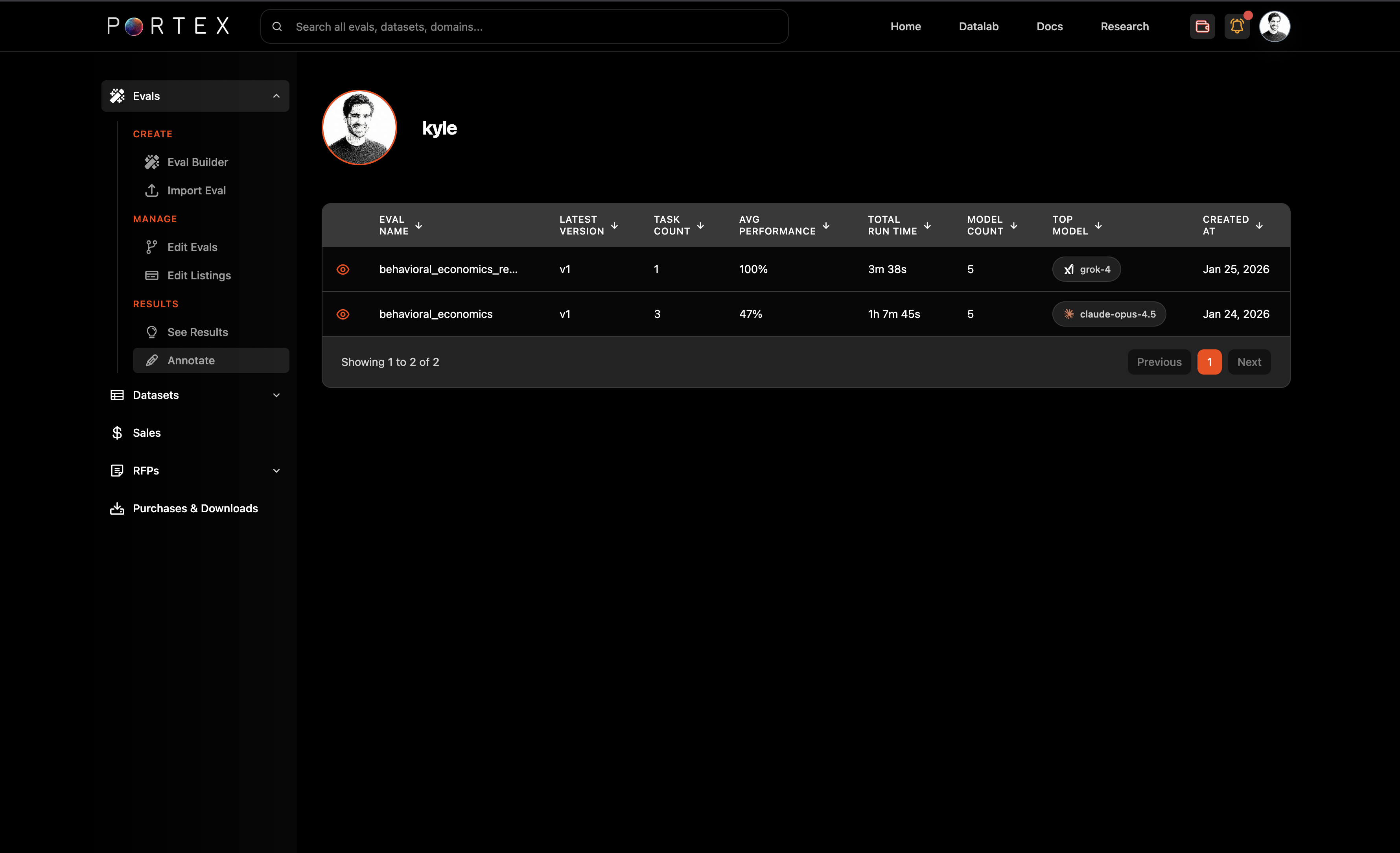
Navigate to Evals > Results > Annotate in the Data Studio sidebar. Select your eval to see results.
The results table shows eval name, latest version, task count, average performance, total run time, model count, and top model.
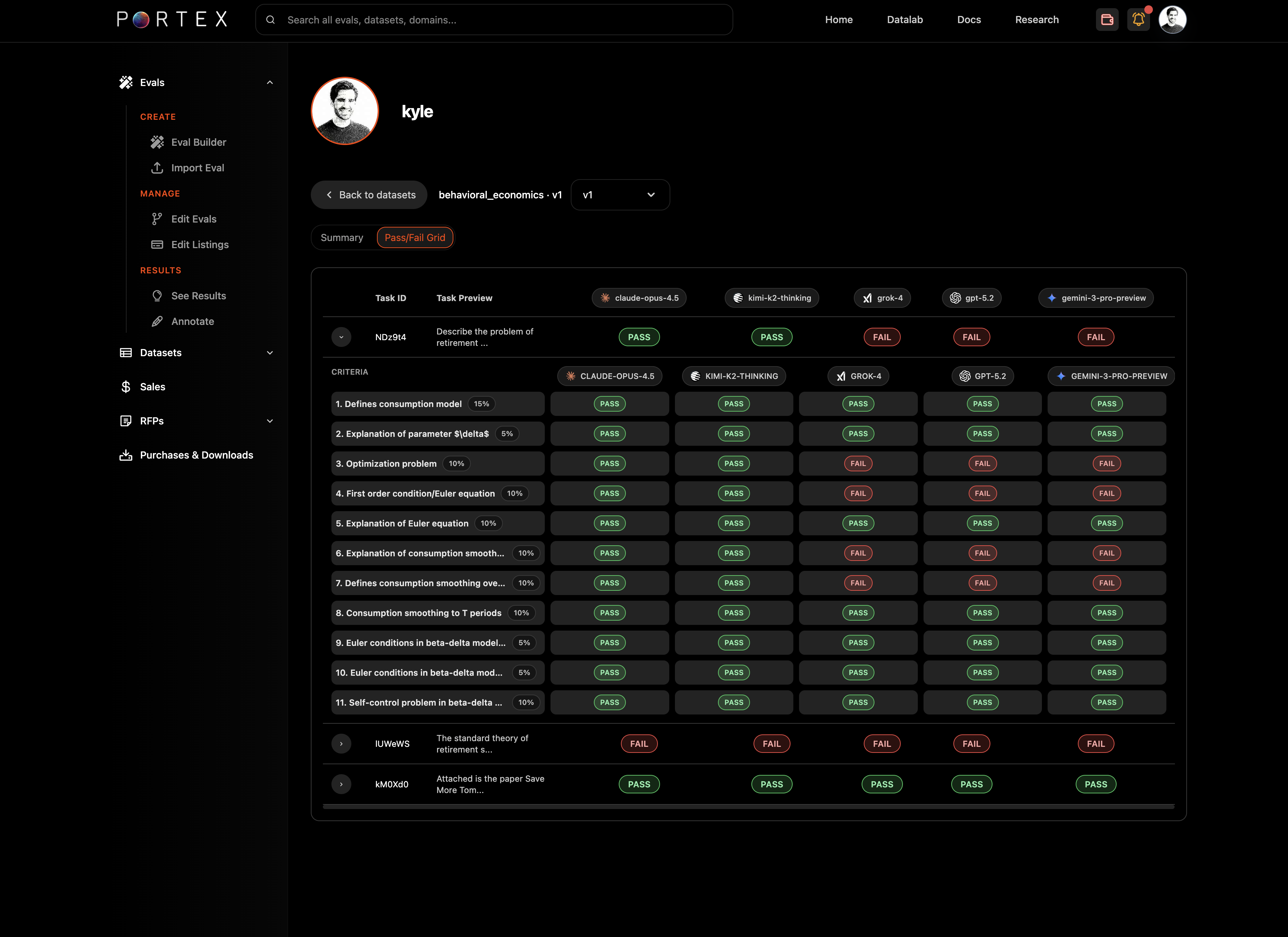
Click into an eval to see the detailed pass/fail grid across models and criteria.
You can toggle between summary and detailed views. The summary view shows aggregate scores per model; the detailed view shows per-task, per-criterion breakdowns with pass/fail badges for each model.
## Annotate
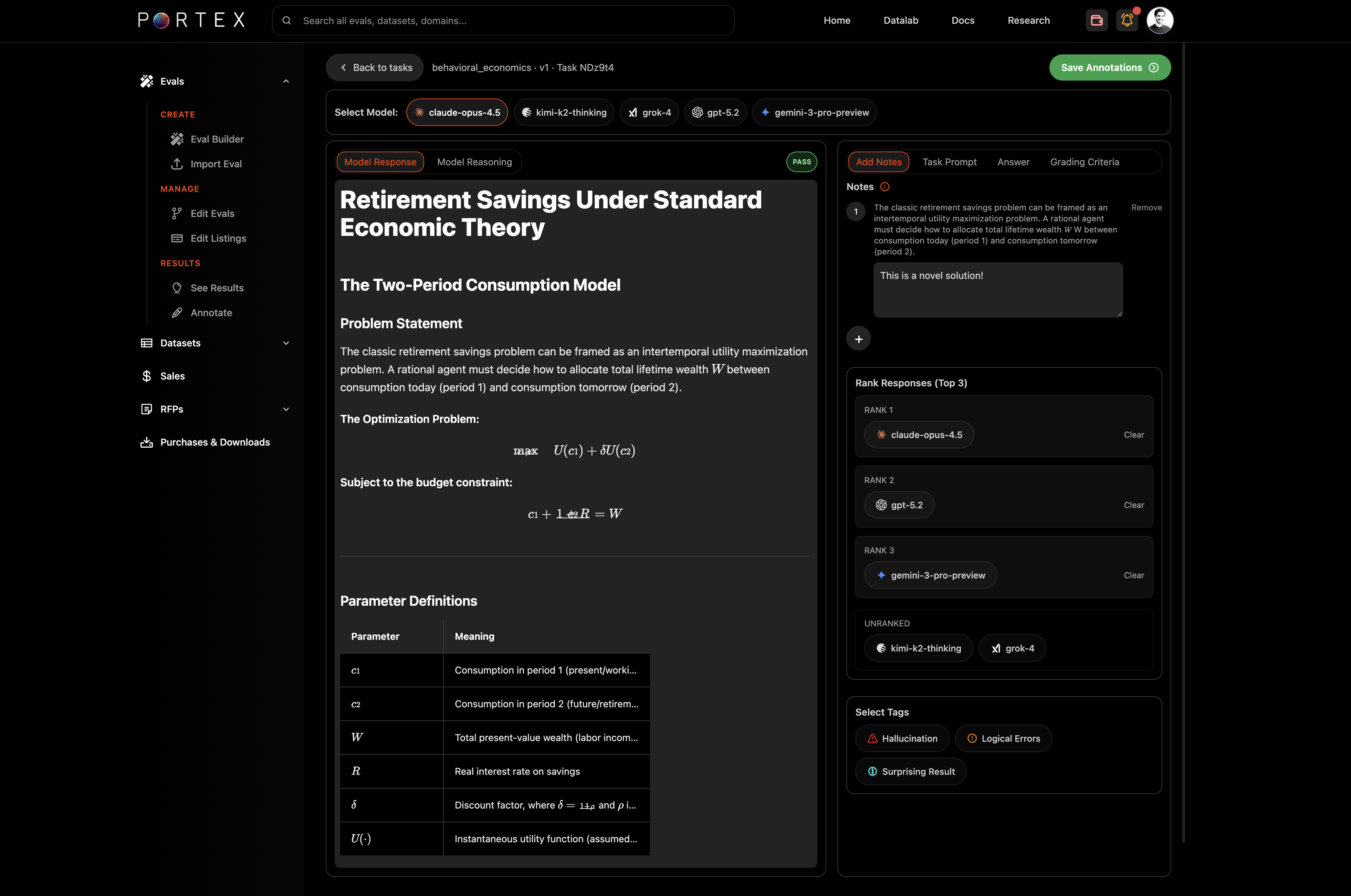
The Annotate task-level view provides a side-by-side interface for inspecting individual model responses against your tasks.
### Layout
* Left panel: a selected SOTA model's response and reasoning
* Right panel: your task prompt, answers, and an Notes section for annotating model responses
### Comparing models
Use the model selector tabs at the top of the right panel to switch between different model submissions. You can toggle between "Model Responses" and "Model Reasoning" (to see the model's chain of thought, if available).
Tabs within the right panel let you view the Task Prompt, Answer, and Grading Criteria for the selected task.
### Annotate
Highlight text selections in the model response and offer specific feedback or commentary.
### Ranking and tagging
You can rank model responses (top 3) by dragging them into position. This is useful for comparative analysis across models.
You can also tag responses with labels like "Hallucination," "Logical Errors," or "Surprising Result" for tracking patterns across submissions.
### Versioning
If you have [edited your eval](/portex-docs/for-experts/editing-an-eval) and created new versions, the Annotate view lets you review results per version.
## Leaderboards
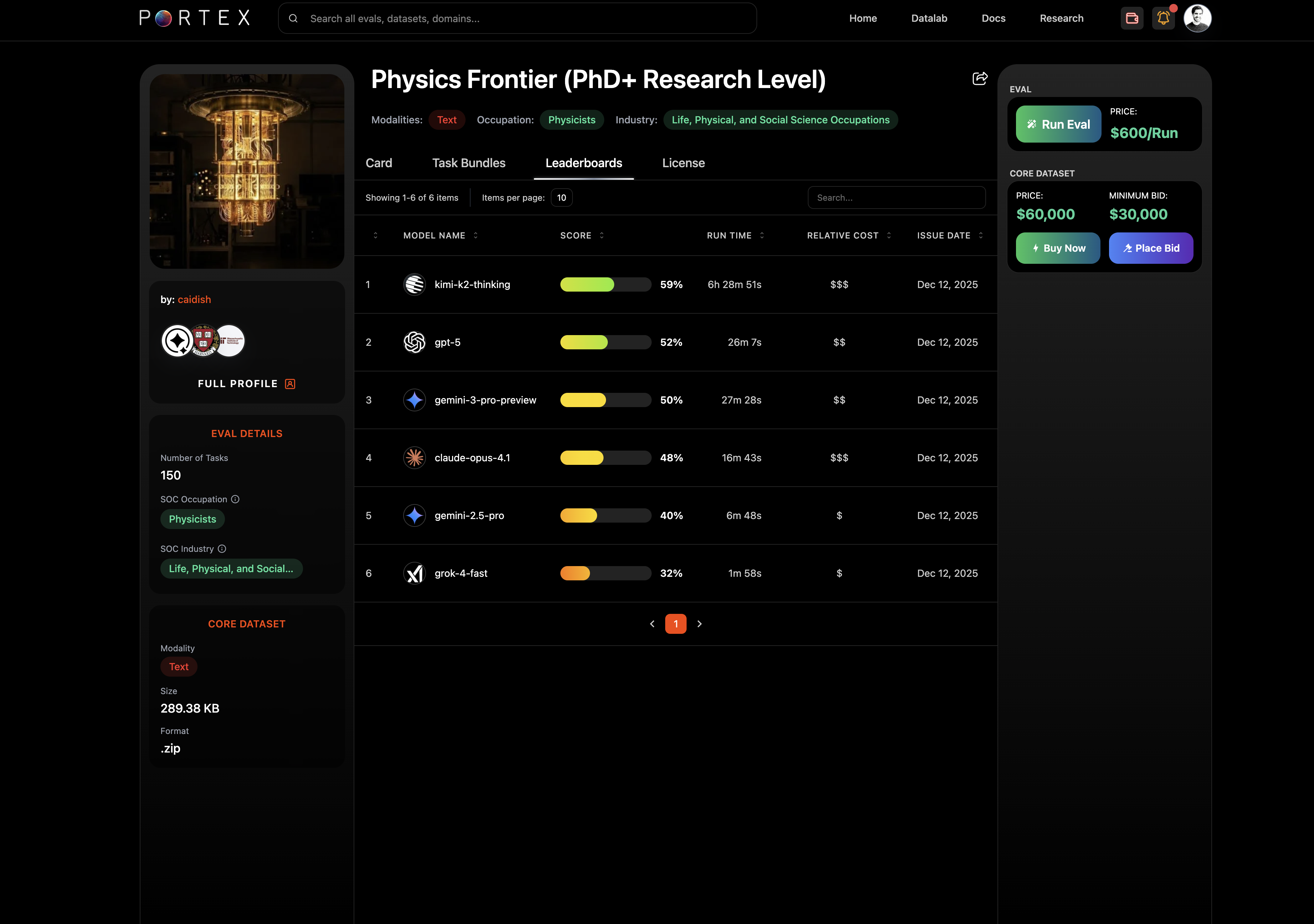
Each published eval has a public leaderboard showing model performance. The leaderboard is visible on the eval's detail page under the Leaderboards tab, showing model name, score, run time, and relative cost.
Use leaderboard data to calibrate your eval's difficulty and identify areas where you might add harder tasks.
# Browsing Evals
Find and explore evals on the Portex Datalab.
The Explore page at [datalab.portexai.com](https://datalab.portexai.com) is the main entry point for discovering evals and datasets.
## Explore Page
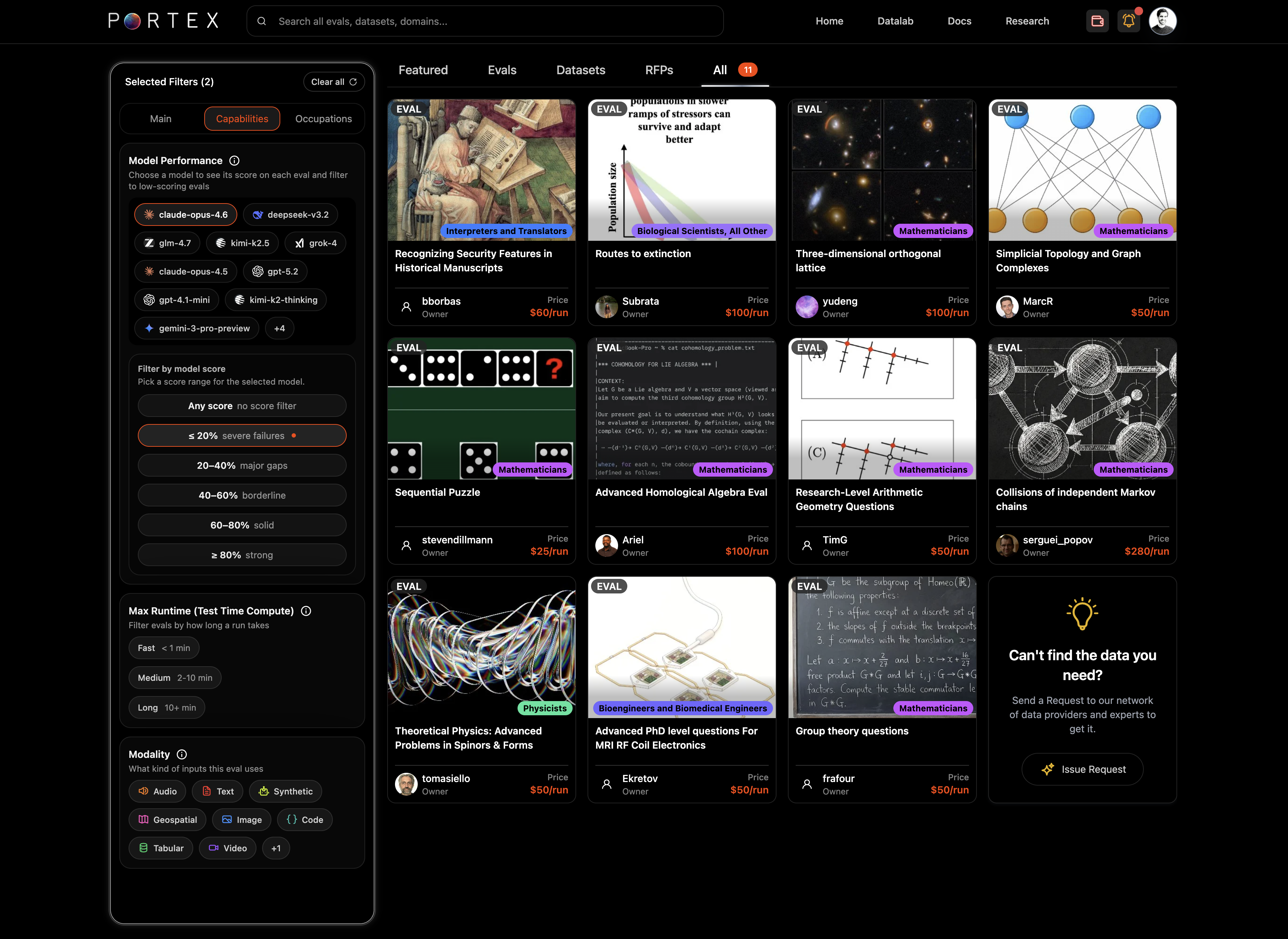
Use the top tabs to filter by content type: Featured, Evals, Datasets, RFPs, or All.
## Filters
The left sidebar provides filters to narrow results:
* SOC Occupations: filter evals by O\*NET-SOC occupational titles (e.g., Aerospace Engineers, Chemists, Clinical Psychologists)
* Eval Average Difficulty: score ranges from "mostly failures" (< 20%) to "strong" (> 80%)
* Creator Expertise: filter by education, institution, experience level
* Model Performance: filter by how specific models scored (e.g., claude-opus-4.6, gpt-5.2, grok-4)
* Max Runtime (test-time compute/inference): fast (< 1 min), medium (1-10 min), long (10+ min)
* Modality: text, image, code, tabular, audio, video, geospatial, and more
You can combine multiple filters. The card grid updates in real time.
## Eval Detail Page
Click an eval card to open its detail page.
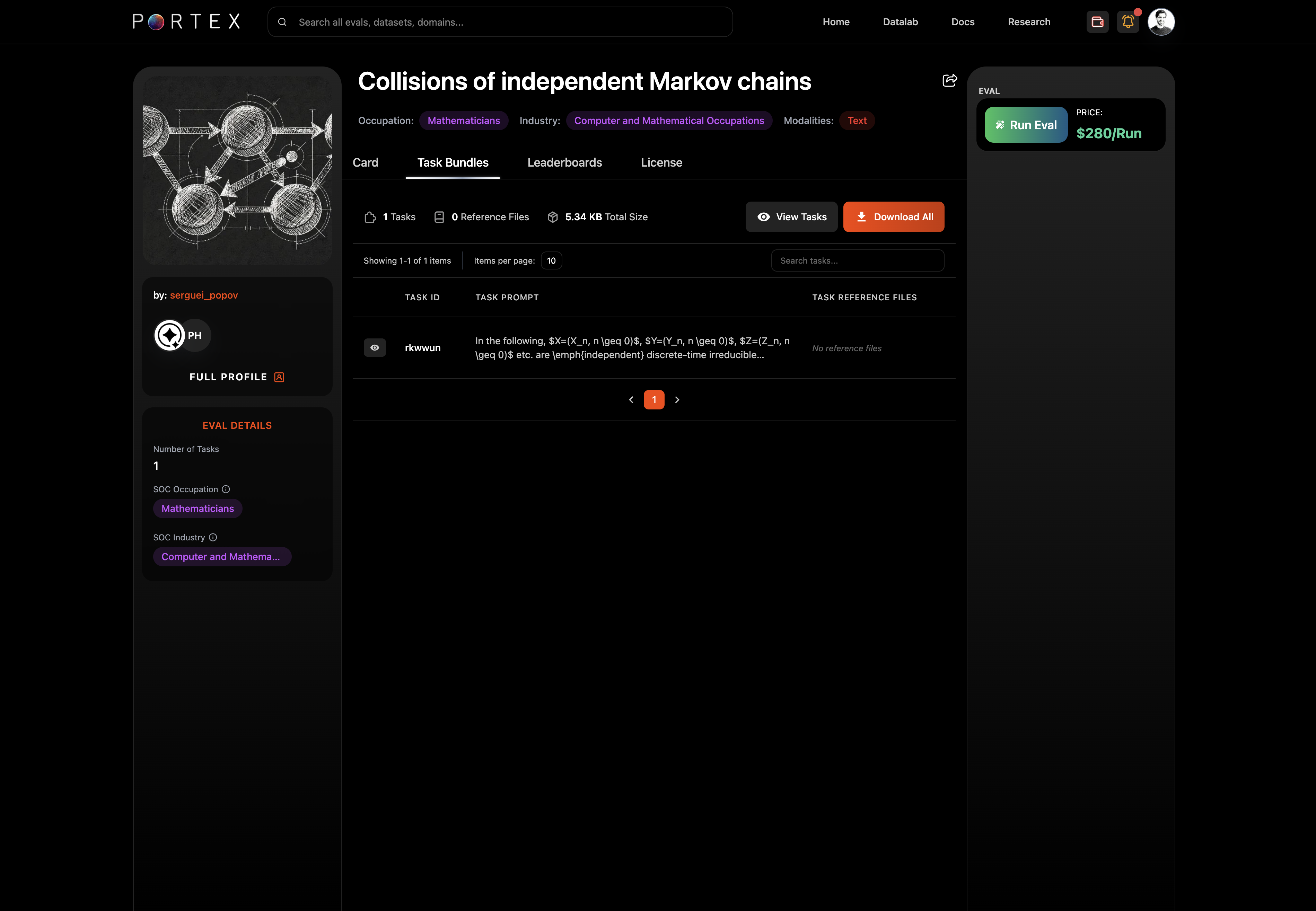
The detail page has four tabs:
* Card: the eval description, background, and methodology
* Full Profile: expert info and credentials/socials
* Task Bundles: view and download tasks and reference files
* Leaderboards: model performance rankings with scores, run times, and relative cost
* License: the PSDLA license terms
Task Bundles tab
The left sidebar shows the seller's profile, number of tasks, SOC occupation, modality, format, and file size.
The right panel shows pricing: the per-run price and (if available) the Core Dataset price and minimum bid.
### Task Viewer
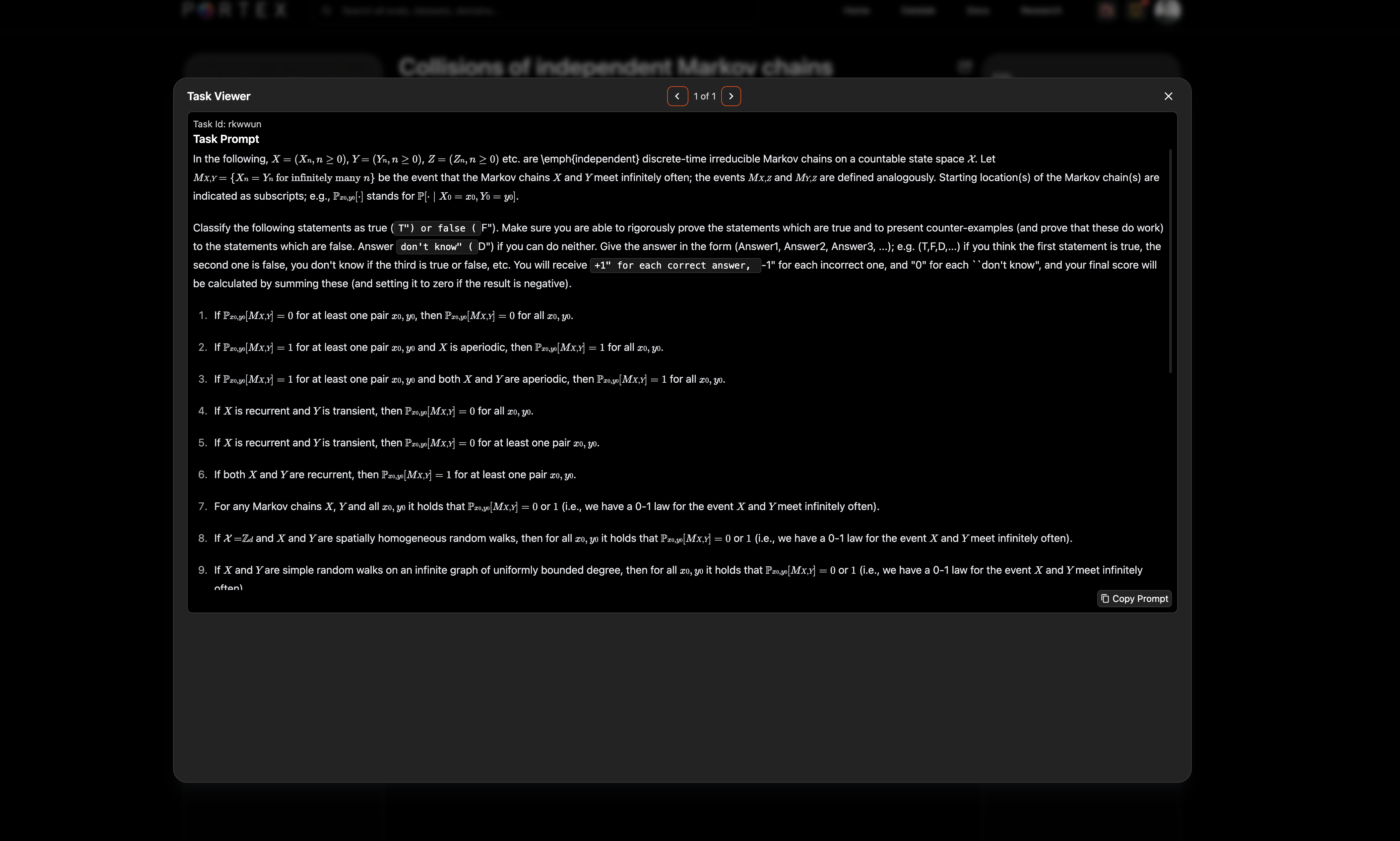
Click "View Tasks" to open the task viewer modal, which shows the full rendered prompt (including LaTeX and math notation).
### Leaderboards
The Leaderboards tab shows how frontier models perform on the eval, ranked by score with run time and relative cost. Portex administers leaderboards and maintains them as new SOTA models are released.
# Running an Eval
Run your model against a Portex eval and receive a scored report.
## Download the Task Bundle
From the eval's detail page, open the Task Bundles tab. Click "Download All" to get the tasks.json file and any reference files.
The task bundle contains:
* tasks.json: the prompts your model needs to respond to
* Reference files (if any): PDFs, images, CSVs, or other supporting documents
## Run Your Model
Run your model locally against each task in tasks.json. For each task, produce a `model_response`.
## Prepare model\_responses.json
Create a JSON file with your model's responses. Each record must include:
* `task_id`: matches the task\_id from tasks.json
* `model_response`: your model's output for that task
```json
[
{
"task_id": "apple_net_margin_2024",
"model_response": "Net income $93,736M / Revenue $391,035M = 23.97%"
}
]
```
## Submit and Pay
Click "Run Eval" on the eval's detail page. This opens the checkout window.
1. Upload your model\_responses.json (max 5MB)
2. Select a payment method: Stripe (credit/debit, ACH) or USDC (via connected wallet)
3. Complete checkout
Your eval job starts after payment is confirmed.
## Get Results
Results appear in the Data Studio under Evals > Results. While the eval is running, the status shows "Running." Once complete, it changes to "Completed" and you can download the report.
The eval report includes:
* Summary statistics (overall score, pass rate)
* Per-task scores and pass/fail status
* Grader notes for each criterion
# Purchasing a Core Dataset
Purchase the Core Dataset behind an eval.
Some evals offer a Core Dataset for purchase in addition to per-run evaluations. The Core Dataset contains the full bundle of tasks, answer keys, grading criteria, reference files, and any supplementary expert materials.
## Why Purchase a Core Dataset?
Core Datasets are useful for:
* Analyzing which specific tasks your model failed and why
* Using the answer keys and rationales for reinforcement learning
* Fine-tuning models on expert-authored domain data
* Auditing the eval methodology
## How to Purchase
On the eval's detail page, the Core Dataset section in the right panel shows the price and minimum bid (if bidding is enabled).
* Buy Now: click "Buy Now" and complete checkout at the listed price
* Place Bid: click "Place Bid" to submit a sealed bid at or above the minimum. Bids are binding and cannot be cancelled. The seller reviews bids and can accept or reject them.
Payment is via Stripe or USDC on Base Chain, the same as for eval runs and dataset purchases.
After purchase, the Core Dataset is available for download in the Data Studio under Purchases & Downloads.
# Upload a Dataset
Upload a dataset to the Portex Datalab.
The first step to listing a data product on the Datalab is uploading a dataset. From the Data Studio, go to Datasets and click "Add new item."
## Upload Options
### Upload a File
Upload a dataset directly to the Datalab. Accepted formats:
* `.parquet` for tabular data
* `.tar.gz` or `.gz` for multi-modal bundles
Maximum size: 20 GB. Enter a dataset name and an init commit message (max 300 characters), then drag and drop your file or click "Choose file."
### External Dataset
If your data is hosted externally (e.g., an S3 bucket), select "External Dataset" and provide the connection type and estimated size. External datasets are verified at the time of purchase.
### Eval Dataset
To upload an eval dataset bundle (tasks.json, answers.json, reference files), see [Importing an Eval](/portex-docs/for-experts/importing-an-eval).
## After Upload
Your dataset appears in the Data Studio under the Datasets tab. From here, you can edit the dataset name, upload a new version, or delete it.
To make the dataset available for purchase, proceed to [Create a Listing](/portex-docs/data-marketplace/create-a-listing).
# Create a Listing
Create a marketplace listing for your dataset.
Once you have uploaded a dataset, you can create a listing to make it discoverable and purchasable on the Datalab.
## Step 1: Listing Type
From the Data Studio, go to Listings > New Listing. Choose your listing type:
* Buy Now + Bidding: buyers can purchase instantly or submit a sealed bid
* Buy Now Only: fixed-price purchase
* Bidding Only: sealed-bid auction. Set a minimum bid.
Set the Buy Now price and/or minimum bid, then click Continue.
## Step 2: Listing Details
Fill in the listing details:
* Title
* Short description (max 300 characters)
* Long description (markdown editor with image upload)
* Modality, Domain, and Use Case tags
* Recipient address (EVM wallet for USDC payouts)
* License: select a PSDLA variant (see [PSDLA](/portex-docs/core-concepts/psdla))
* Delivery method: Dataset (default)
* Preview image: upload or auto-generate
* Dataset: select from your uploaded datasets
### Schema editor
For Parquet files, you can edit column descriptions to help buyers understand the dataset structure. Select the dataset and click "Edit" to open the schema editor.
## Step 3: Publish
Toggle between Draft and Live at the bottom of the editor. Click "Create Listing" to publish.
Your listing now appears on the Explore page. You can return to the Data Studio at any time to edit pricing, descriptions, or toggle it back to draft.
# Purchase a Dataset
Buy or bid on datasets on the Portex Datalab.
## Browse
Find datasets on the Explore page at [datalab.portexai.com](https://datalab.portexai.com). Use the Datasets tab or filter by modality, size, price range, or domain.
## Dataset Detail Page
Click a listing card to view details. The Card tab shows the dataset description, key facts (temporal coverage, rows, file size, sources), and provenance. The Schema tab shows column names, types, and descriptions. The License tab shows the PSDLA terms.
## Buy Now
Click "Buy Now" to purchase at the listed price. The checkout modal shows the data purchase price, any service fee, and the total.
Select a payment method:
* USDC on Base Chain (via Coinbase Wallet, MetaMask, or another EVM wallet)
* Stripe (credit/debit, ACH)
After payment confirmation, you can download the dataset immediately.
## Place a Bid
For listings that accept bids, click "Place Bid." Enter your bid amount (must meet or exceed the minimum bid) and an optional expiration date.
All bids are sealed (only the seller sees them) and binding. Bids cannot be cancelled after submission.
If the seller accepts your bid, you will see it in your Data Studio under Bids with an "Accepted" status and an "Issue Payment" button.
## Downloads
Purchased datasets are available in the Data Studio under Purchases & Downloads.
# RFPs
Issue and respond to Requests for Proposals on the Datalab.
Requests for Proposals (RFPs) let buyers commission datasets that do not yet exist. Sellers browse open RFPs and submit proposals with their data.
## Issuing an RFP (Buyers)
From the Data Studio, go to RFPs and click "Add new item" under My RFPs.
Fill in:
* Title
* Modality, Domain, and Use Case tags
* Amount (in USD): your budget for the dataset
* License: select a PSDLA variant
* Expiration date (optional)
* Short description (max 300 characters)
* Long description (markdown editor)
* Preview image (upload or generate)
Click "Create RFP." Your request appears on the Explore page under the RFPs tab.
## Responding to an RFP (Sellers)
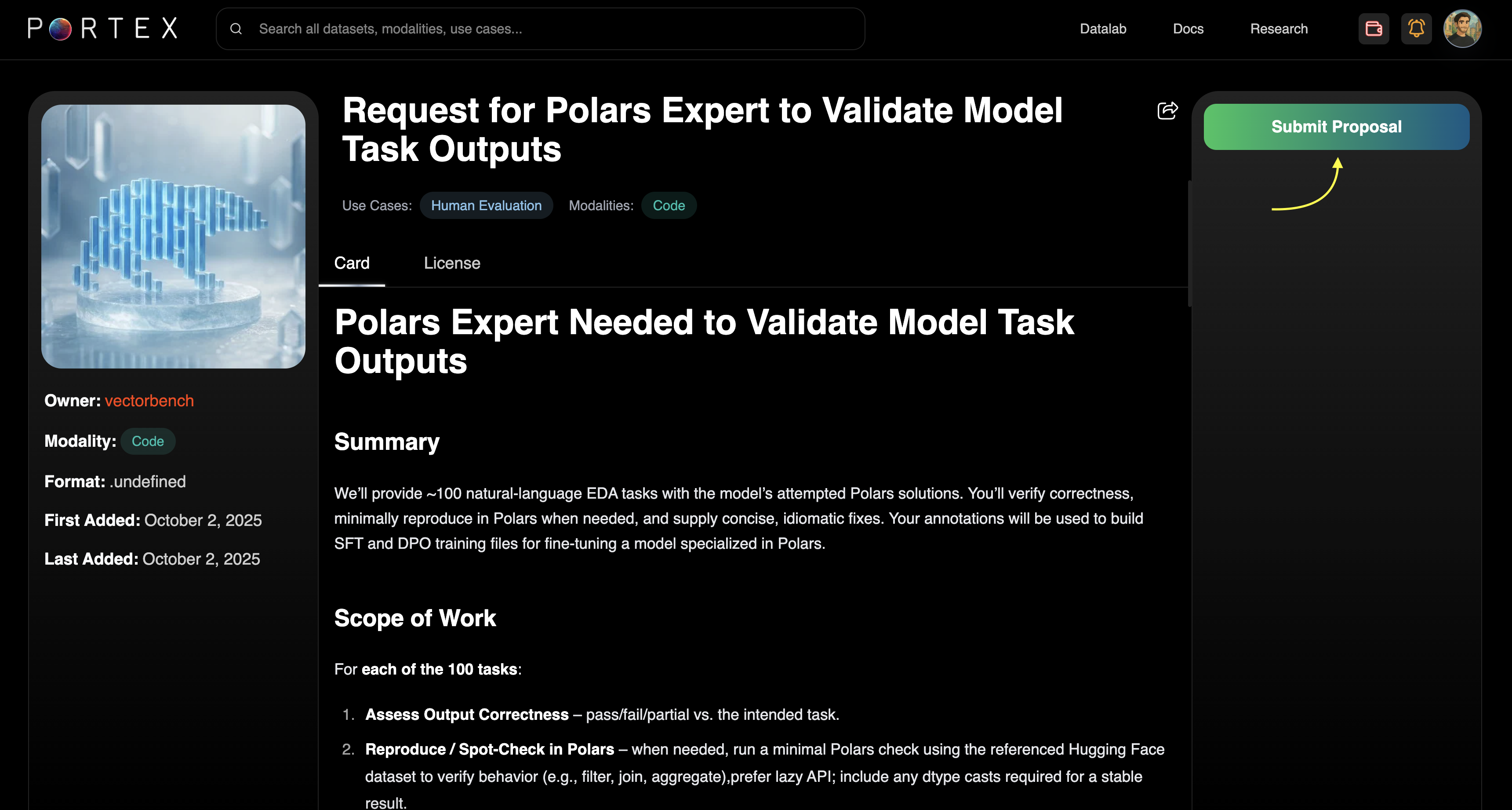
Browse open RFPs on the Explore page under the RFPs tab. Click into an RFP to read the full specification.
Click "Submit Proposal" to open the proposal form. This takes you to the Data Studio where you can write your proposal, describe your credentials, and attach a dataset.
## Reviewing Responses (Buyers)
Submitted proposals appear under RFPs > Requests in your Data Studio. Each response shows the seller's message, attached dataset details, file size, and schema.
You can accept or reject each response. Accepted responses convert into a purchasable listing, which you can then checkout normally.